
Sharing invoices & payment links
Email a customer their invoice, a payment proof link or a form link, and why the whole link matters.
User guide
Email a customer their invoice, a payment proof link or a form link, and why the whole link matters.
Customers see their paperwork through links you email them. An invoice link shows the printable invoice. A payment proof link lets them upload their bank transfer slip. A form link lets them answer the questions of a customized product. None of these links needs a sign-in.
Who can do this: sending an invoice needs Send invoices. Sending a payment proof link or a form link needs Send payment requests. The built-in Admin, Store Admin and Cashier roles have both.
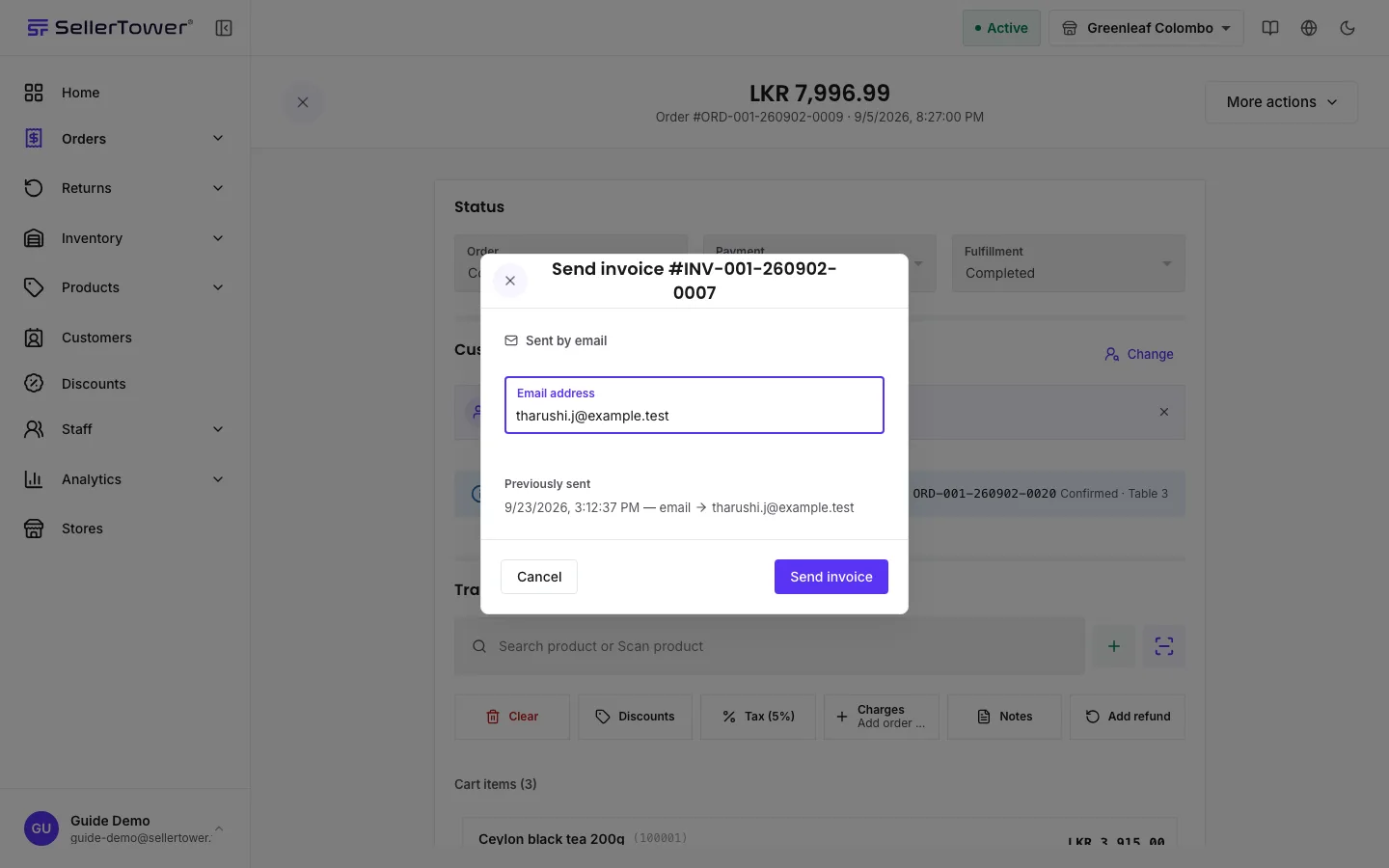
The dialog lists the last few sends under Previously sent, and each invoice keeps a log of every send: where to, when, and who sent it.
The customer's invoice page shows the invoice with a Print Invoice button. If money is still owed, it says how much is outstanding and asks the customer to contact the store to arrange payment. The page does not take card payments.
Use this when a customer pays by bank transfer.
The option is offered on bank transfer orders that still owe money, and on any order with a transfer awaiting verification. A settled order asks for nothing.
The customer's page, Order Payment Verification, shows the order and the amount to transfer. They upload a JPG, PNG or PDF of up to 10 MB and press Submit Payment Receipt. The slip then appears in the order's Payments section, on the transfer or under Unassigned transfer slips. Staff still have to verify the transfer; see Recording payments & deposits.
For an order with a customized product, the customer can answer the product's questions themselves.
The customer's page, Your order details, takes their answers and files. Once the order is being prepared, they can still send answers and files that do not change the price. When the order has moved on, the page says the form is closed.
Every link carries an access code: the ?t=… at the end. Document numbers follow a pattern, so
without the code someone could guess the address of another customer's invoice. With it:
| Symptom | Cause | Fix |
|---|---|---|
| The customer sees Invoice Not Found. | The link was cut short or edited. | Send the invoice again and ask the customer to use the whole link. |
| "This customer has no email address on file" | The customer record has no email. | Type an address into the dialog, or press Add email address to add it to the record. |
| Sending is refused for a superseded invoice. | That invoice was replaced. | Send the order's current invoice. |
| Send payment proof link is missing. | The order is not a bank transfer order, it is settled, or it is cancelled. | Nothing to send. Record other payments on the order. |
| The customer's page says "This payment is already verified". | Staff already verified that transfer. | Nothing to do. |
Payment status · How invoices work · Recording payments & deposits