
Fulfilment status & types
Available on Solo and above
The five ways goods reach the customer, the steps of each, and the store settings behind them.
User guide
The five ways goods reach the customer, the steps of each, and the store settings behind them.
Fulfilment is how the goods reach the customer. Each fulfilment type has its own short list of steps. A store starts with only In store switched on. You switch on the other types the store actually offers.
Who can do this: moving a fulfilment status needs Change order statuses (Admin, Store Admin and Cashier). Changing a store's fulfilment settings needs Configure fulfillment (Admin and Store Admin).
Types other than In store are part of a paid plan. If your plan does not include them, the checkout shows "Pickup, delivery, takeaway and dine-in orders are part of a paid plan. In-store orders work on every plan."
| Type | Steps |
|---|---|
| In store | Pending → Processing → Completed |
| Pickup | Pending → Ready → Completed |
| Takeaway | Pending → Ready → Completed |
| Delivery | Pending → In transit → Completed, plus Failed |
| Dine-In | Pending → Processing → Served → Completed |
Any step before Completed can also go to Cancelled.
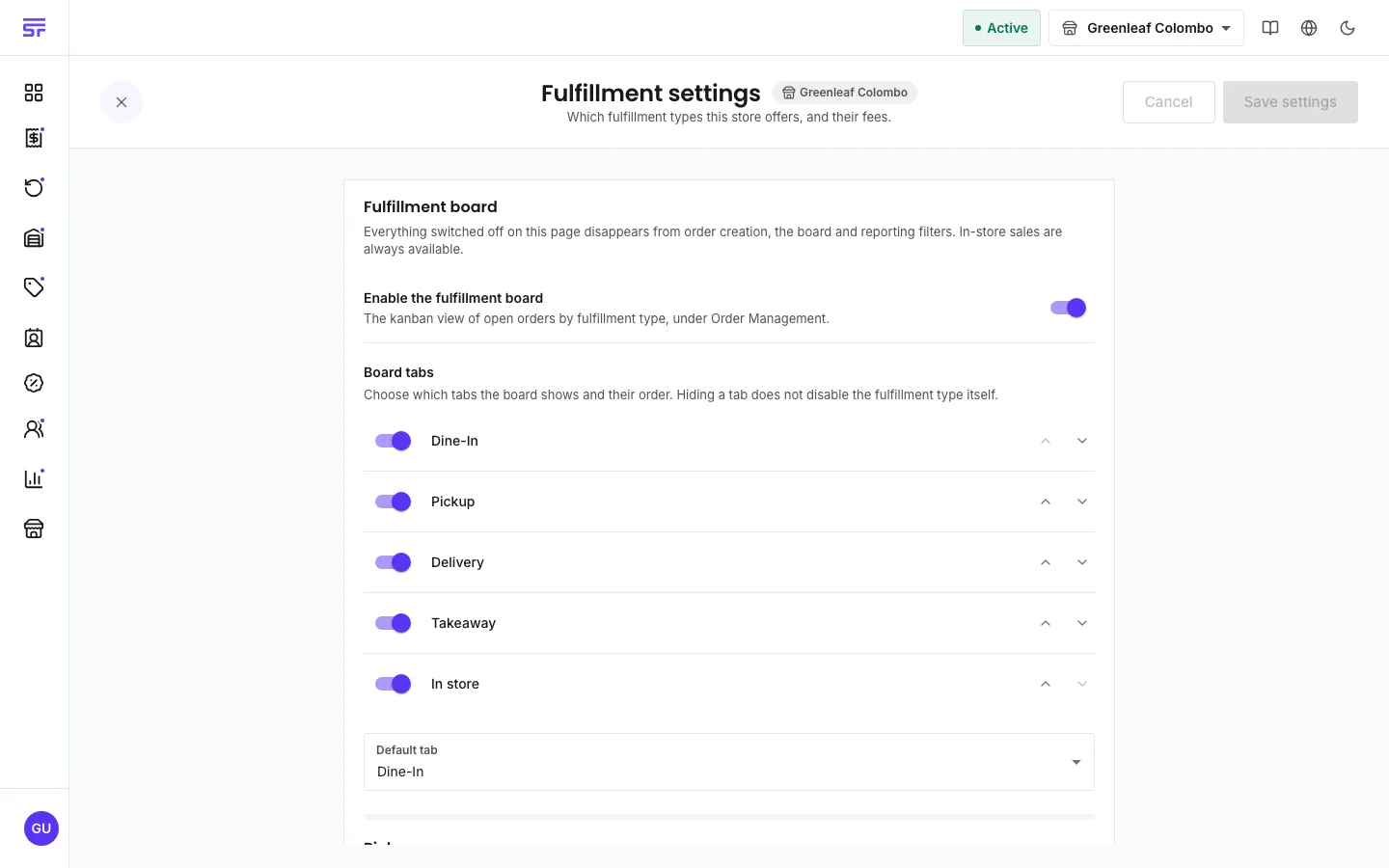
As the page says, anything switched off disappears from order creation, the board and reporting filters. In-store sales are always available.
| Type | Settings |
|---|---|
| Pickup | Processing fee (a flat amount or a percentage), Pickup address (leave empty to use the store address), Average preparation time (minutes), and a link to the pickup label settings. |
| Takeaway | Processing fee and Average preparation time (minutes). |
| Delivery | Delivery timing: Immediate delivery only, Scheduled delivery only or Immediate or scheduled. Delivery zones, each with a Zone name, Fee and Delivery time (days). A link to the delivery label settings. |
| Dine-In | Service charge, and a link to manage the store's tables. |
| Board | Enable the fulfillment board, which tabs it shows and in what order, and the default tab. See The fulfilment board. |
| Symptom | Cause | Fix |
|---|---|---|
| A type is missing at checkout. | It is switched off for this store, or your plan does not include it. | Switch it on in Fulfillment settings, or check your plan. |
| "cannot fulfill before order confirmed" | The order is still a draft. | Confirm the order first. |
| "cannot complete fulfillment before payment" | The payment is not Paid. | Record the payment first. |
| A dine-in order cannot jump from Processing to Completed. | Dine-in must pass through Served. | Move it to Served first. |