
Dine-in & tables
Available on Solo and above
Set up tables, seat dine-in and takeaway orders, and see how a table frees itself.
User guide
Set up tables, seat dine-in and takeaway orders, and see how a table frees itself.
Dine-in orders are served at tables. You set up the store's tables once, seat each order at a table, and the table frees itself when the meal is settled.
Who can do this:
| Task | Permission | Built-in roles that have it |
|---|---|---|
| See tables | View tables | Admin, Store Admin, Cashier |
| Seat, move and free parties; edit, reserve and deactivate tables | Edit tables | Admin, Store Admin, Cashier |
| Add tables | Create tables | Admin, Store Admin |
| Delete tables | Delete tables | Admin, Store Admin |
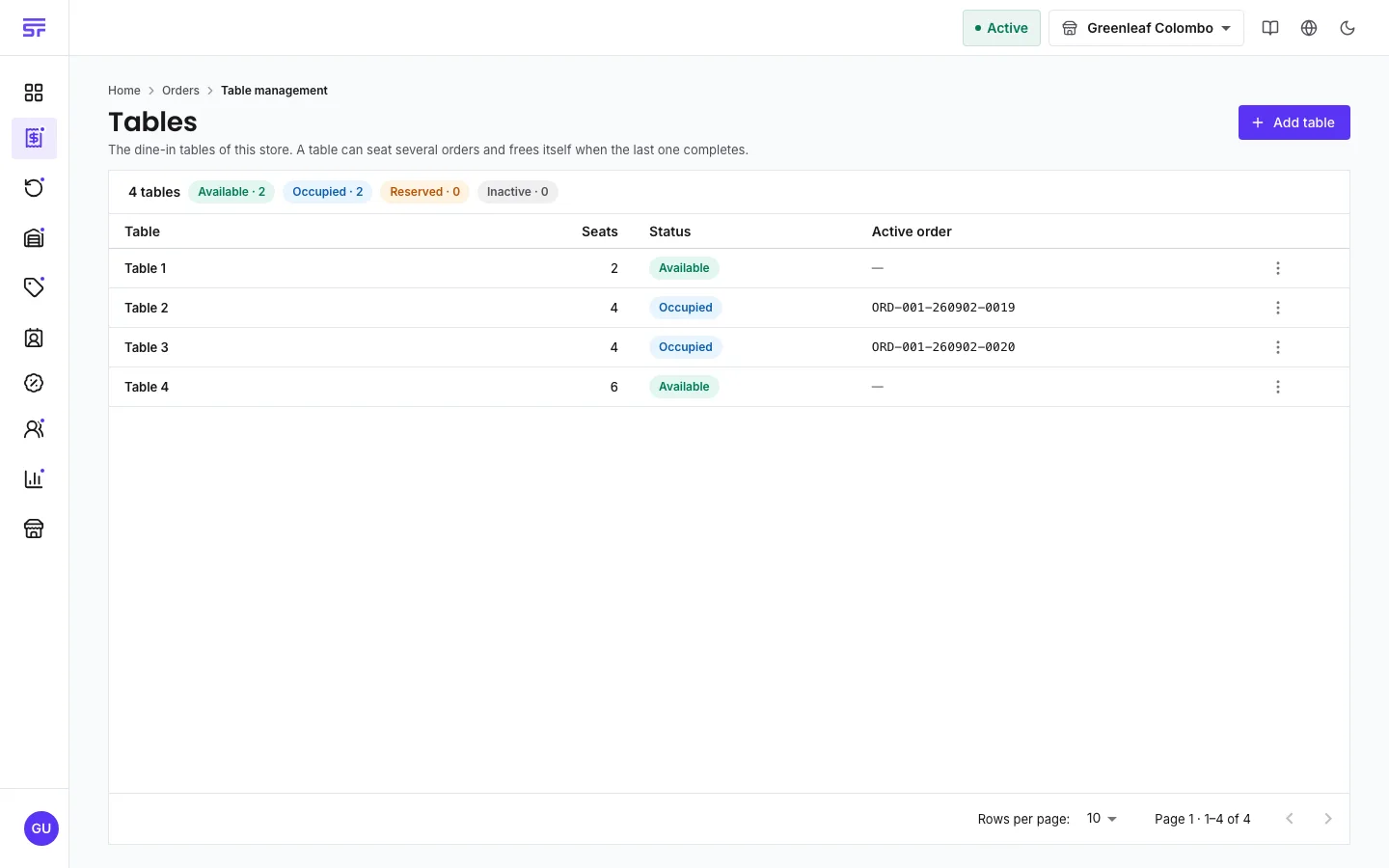
The page explains itself: "The dine-in tables of this store. A table can seat several orders and frees itself when the last one completes." Two couples who pay separately are two orders at one table.
Moving a party to another table does not change what they ordered. That is why a table can still be changed after the order is locked for edits.
Dine-in has one more step than the other types:
Pending → Processing → Served → Completed
Served means the food is on the table and the kitchen is done, but the bill is not settled. The order completes when the party pays. Completing the order frees the table. Cancelling it frees the table too. The dine-in Service charge, if the store sets one, is already in the total.
| Table action | What it does |
|---|---|
| Edit table | Change the name or capacity. |
| Mark reserved / Mark available | Hold a table for a booking, or release it. |
| Free table | Frees the seat even if its order is still open. The order keeps the table on its record. |
| Deactivate | Takes the table out of use without deleting it. |
| Delete table | Removes the table from the store. Past orders keep the table's name. |
| Symptom | Cause | Fix |
|---|---|---|
| Table management is not in the menu. | Your plan does not include fulfilment types. | Check your plan. |
| "Tables are not enabled for this store" | Neither dine-in nor takeaway is switched on. | Press Open fulfillment settings and switch one on. |
| Assign table is missing for an order. | The order is not dine-in or takeaway, or it is completed. | Only open dine-in and takeaway orders take a table. |
Fulfilment status & types · The fulfilment board · Order status