
Custom roles
Available on Scale
Write your own roles with the permission picker, and manage them over time.
User guide
Write your own roles with the permission picker, and manage them over time.
When the five built-in roles do not fit, you can write your own. For example, a supervisor who may adjust stock but not change prices.
Who can do this: the Administrator, and staff whose roles let them create or edit roles. Nobody can put a permission into a role that they do not hold themselves. Writing roles depends on your plan (see the badge at the top of the page). On a plan without it, the built-in roles still work, and the app says: "Your plan includes the built-in roles. Upgrade to create and edit custom roles."
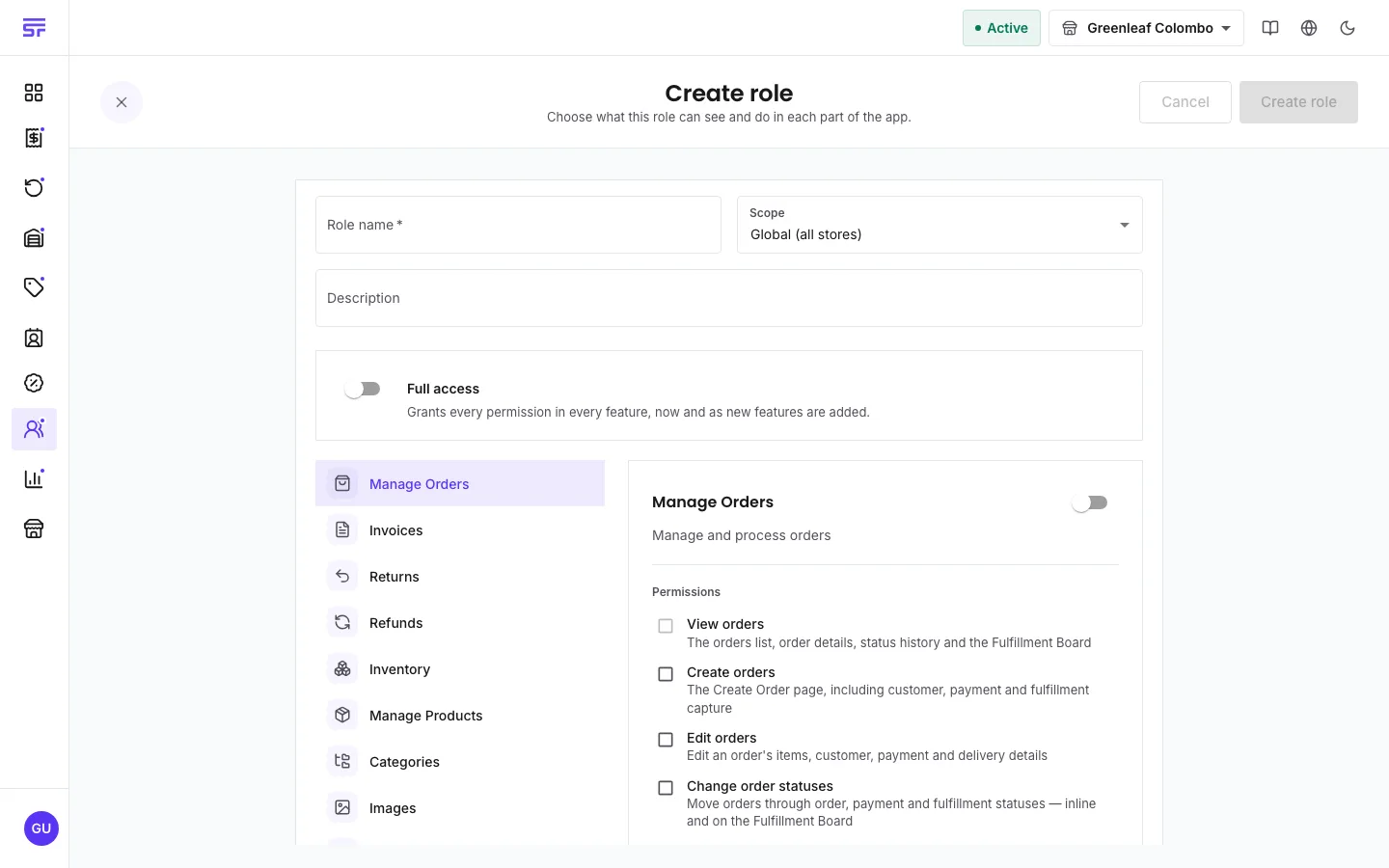
| Field | Rules |
|---|---|
| Role name | Required. Up to 50 characters. |
| Description | Optional. Up to 200 characters. |
| Scope | Global or store. Cannot change while anyone holds the role. |
| Full access | "Grants every permission in every feature, now and as new features are added." Only a global role can have it. |
| Permissions | At least the ones the role needs. Store roles have a limit, see below. |
Each role's menu on Manage role has these actions:
| Symptom | Cause | Fix |
|---|---|---|
| The save is refused and names a permission. | You do not hold that permission yourself. | Remove it from the role, or ask the Administrator to save the role. |
| A permission is missing from a store role. | It belongs to a business-wide feature, and store roles can only view those. | Make it a global role, or give the person a global role for that part. |
| Delete role does nothing or is greyed out. | Someone still holds the role. | Remove the role from those staff, or disable it instead. |
| Create role is missing. | Your plan includes only the built-in roles, or your roles do not allow it. | Check Comparing plans, or ask the Administrator. |
Roles & permissions · Permissions reference · Comparing plans