
Inviting staff
Send an invitation, choose scope and roles, and what happens before and after the person accepts.
User guide
Send an invitation, choose scope and roles, and what happens before and after the person accepts.
You add people to your team by invitation. You enter their email address, where they may work and what they may do. They choose their own name and password from the link in the email.
Who can do this: only the Administrator. Inviting someone uses a staff seat, which is paid capacity, so no role can give this power to anyone else. The Invite staff button shows only for the Administrator.
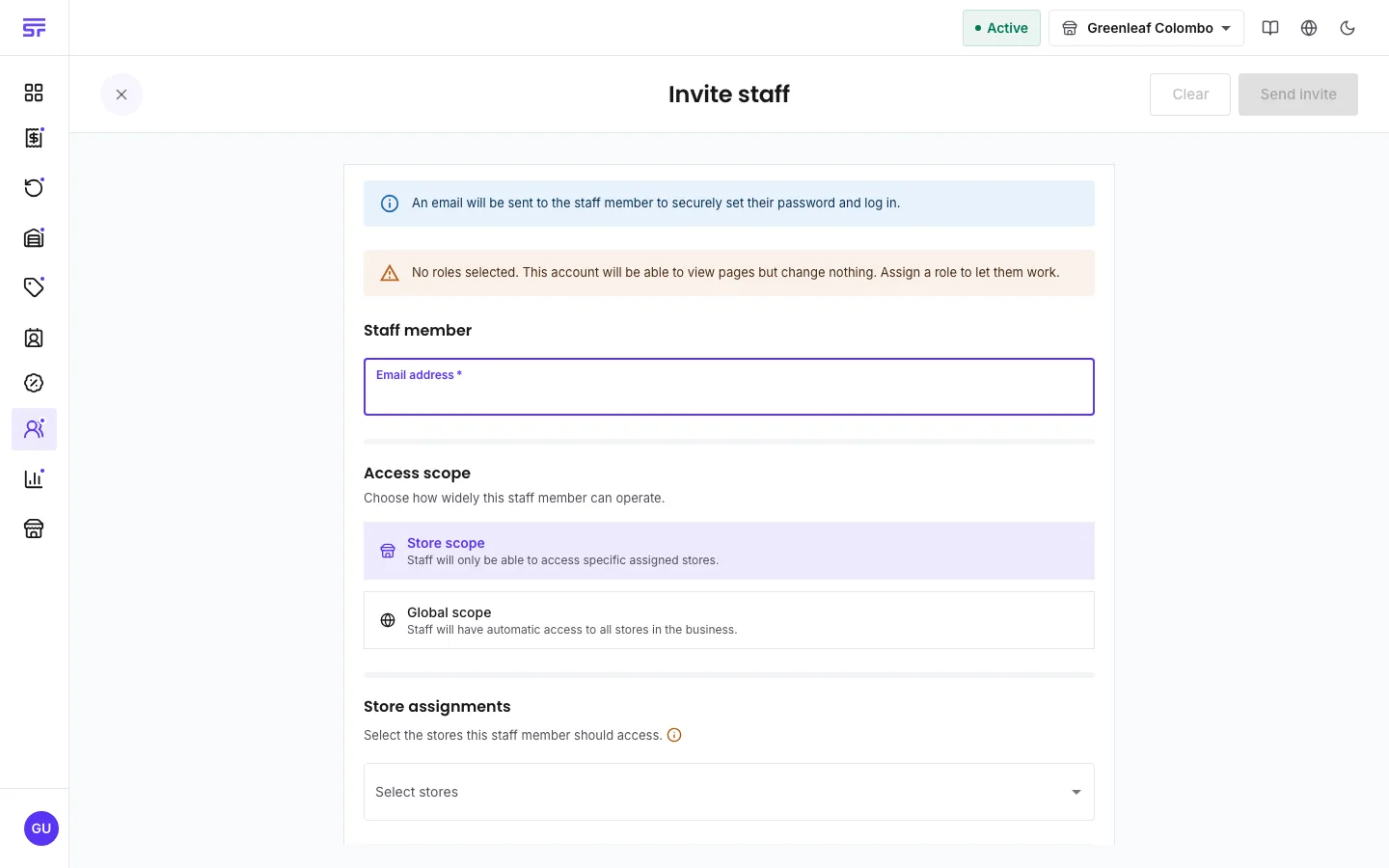
| Field | Rules |
|---|---|
| Email address | Required and must be a valid email. One email is one account. An address that already exists or is already invited is refused. |
| Access scope | Store scope or Global scope. Switching scope clears the choices you made for the other scope. |
| Store assignments | For store scope. The stores this person can use. |
| Store roles / Global roles | What they can do. If you choose none, the form warns: "No roles selected. This account will be able to view pages but change nothing. Assign a role to let them work." If your plan has no roles, the role pickers do not show. |
The invitation itself uses no seat. The seat is taken when the person accepts. This has two results:
What the invited person sees is covered on Invited staff: first sign-in.
| Symptom | Cause | Fix |
|---|---|---|
| You do not see Invite staff. | You are not the Administrator. | Ask the Administrator to send the invite. |
| The invite is refused because the email exists. | That address already has an account or a pending invitation. | Find it in the staff list. Resend or cancel the old invite. |
| The person says the link does not work. | The link expired, or a newer link replaced it. | Use Resend invite and ask them to use the newest email. |
| The person says the workspace cannot add them. | No staff seat is free. | Free a seat or buy one. The same link then works. |
Invited staff: first sign-in · Staff & seats · Roles & permissions