
The fulfilment board
Available on Solo and above
Work open orders as lanes: drag a card to its next step, or use Move.
User guide
Work open orders as lanes: drag a card to its next step, or use Move.
The Fulfillment board shows open orders as cards in lanes. There is one tab per fulfilment type the store offers, and that type's steps are the lanes. You move an order by dragging its card to the next lane.
Who can do this: anyone with View orders can see the board. Moving cards needs Change order statuses (Admin, Store Admin and Cashier). Without it, the board shows "You can view the board; moving orders needs the Change Order Statuses permission."
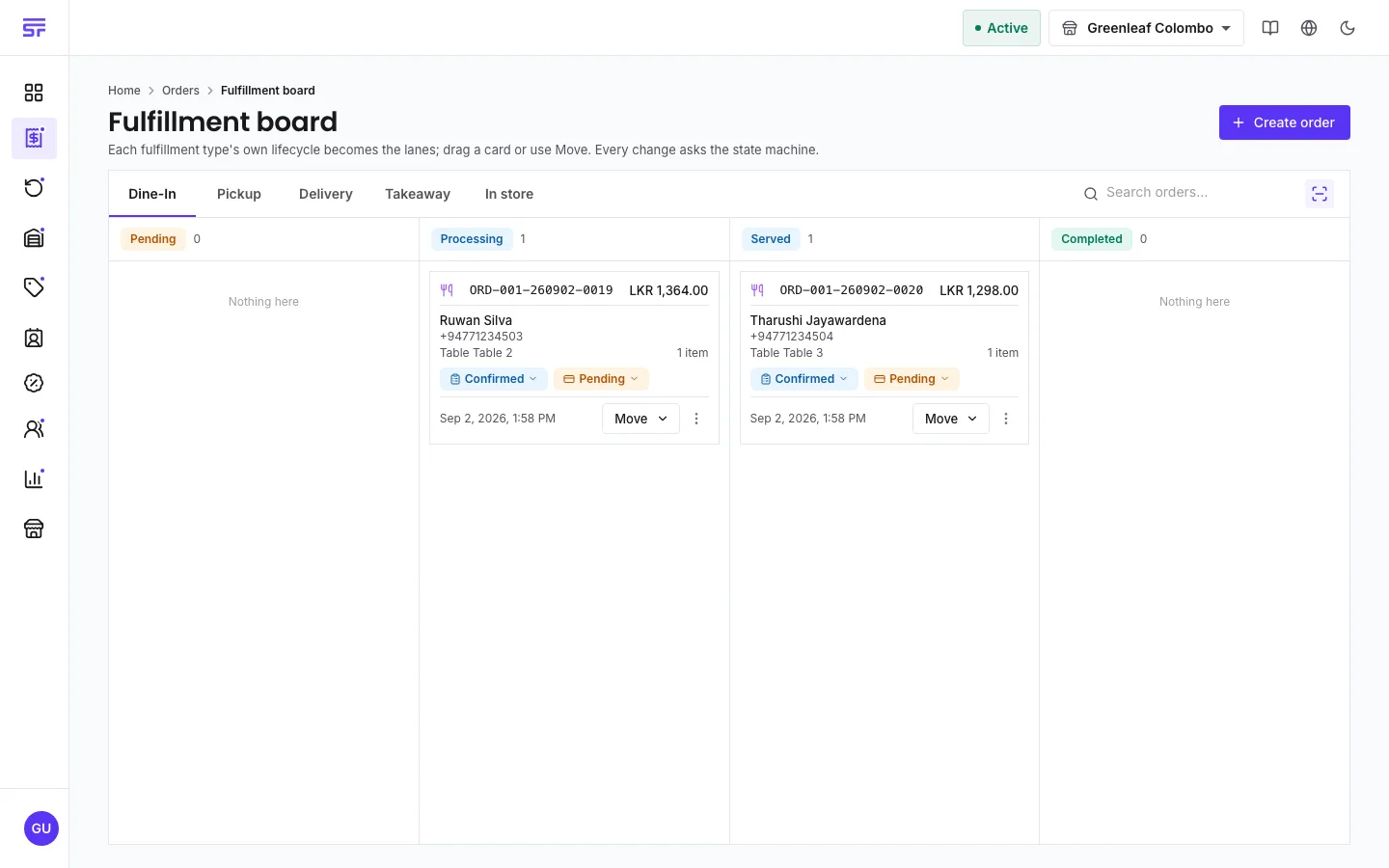
To find one order, use Search orders… or Scan order Barcode/QR at the top.
As the page says: "Every change asks the state machine." Before a card moves, the app asks the server whether that move is allowed for this order. If it is not, the card stays where it was and shows the server's reason, for example "cannot complete fulfillment before payment".
You choose which tabs appear, their order and the default tab in the store's Fulfillment settings under Board tabs. Hiding a tab does not switch the fulfilment type off.
| Symptom | Cause | Fix |
|---|---|---|
| A card snaps back to its lane. | The server refused the move. | Read the reason on the card. Usually the payment is not Paid yet or the order is not confirmed. |
| An order is missing from the board. | It is completed or cancelled, it is of a type whose tab is hidden, or its lane has more than 25 orders. | Find it on Manage orders. |
| Fulfillment board is not in the menu. | Your plan does not include fulfilment types, or you do not have View orders. | Check your plan or ask for the permission. |