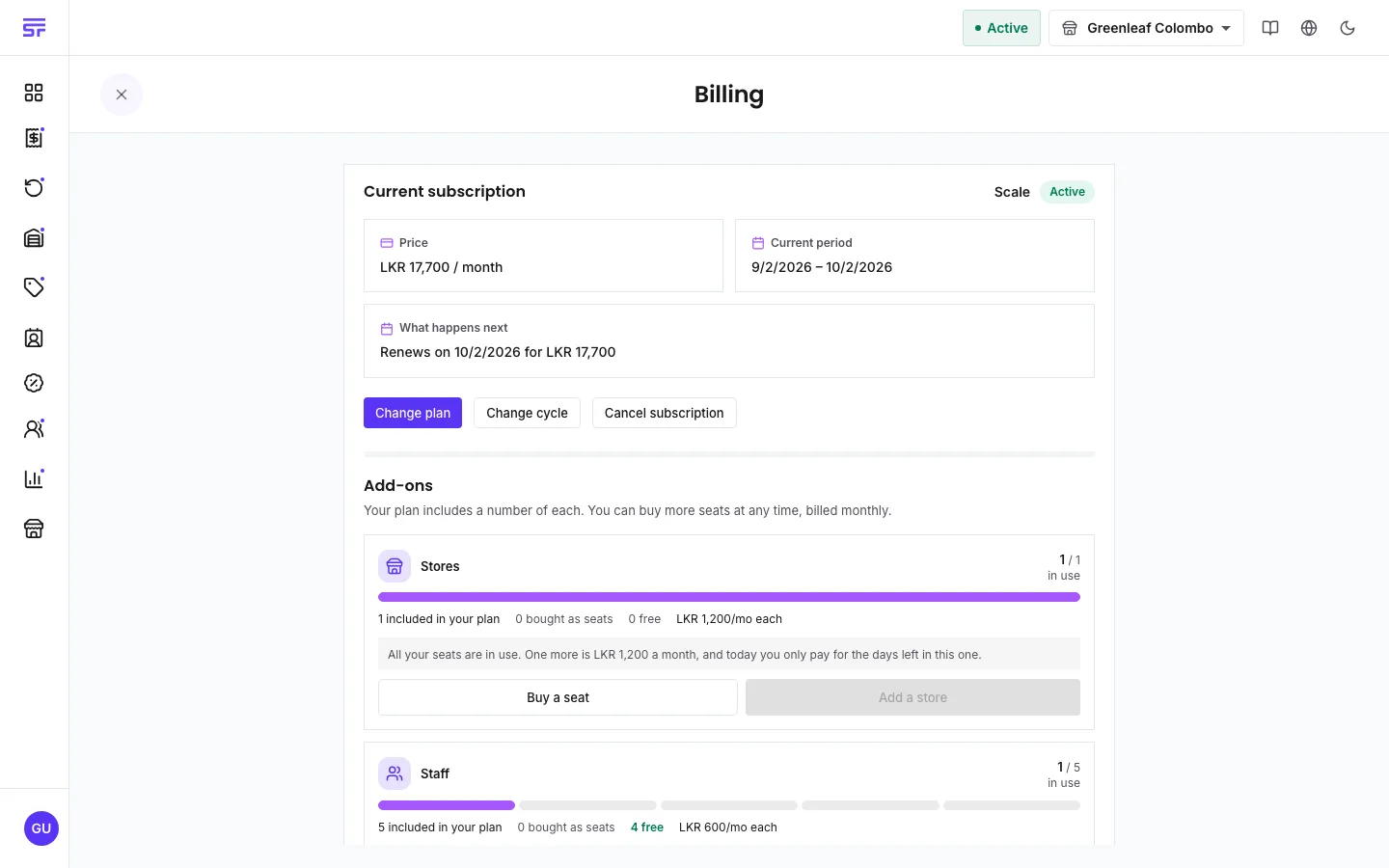
How you buy, use and give back extra store and staff seats.
If you need more stores or staff than your plan includes, you buy extra seats. You pay for a
seat first. A new store or staff member then uses it. When you no longer need it, you give it
back.
Who can do this: the Administrator buys and releases seats on Billing. Only the
Administrator can create stores and invite staff, and both use seats.
Free seats = seats included in your plan + seats you bought, minus seats in use.
The Add-ons panel on the Billing page shows this for stores and for staff. Each has a meter
with included in your plan, bought as seats, in use and free.
Creating a store uses a free seat. If you have none, the Create store button opens a box
with Buy a seat. Buy one, and the store form opens straight after.
Inviting staff is free. The seat is used when the person accepts the invitation. If no
seat is free then, they cannot join yet. Their link keeps working until a seat is free.
Turning a store or staff member back on uses a seat too. If none is free, it stays off until
you buy or free one.
On Billing, in the Add-ons panel, press Release a seat.
Set the number with One fewer and One more. The box shows how many seats you will
have after the release.
Press Schedule release.
The release happens at the end of the period you have already paid for. Nothing changes before
then, and there is no refund. If you start using those seats again before the date, the release
is cancelled and nothing changes.
To release seats now instead, use Release now instead and tick "I understand this cannot be
undone and nothing is refunded." The seats go straight away. Buying them back later is charged
again.
You cannot release seats that are in use. When every seat you bought is in use, Release a seat
is turned off. Its hint says: "Every seat you have bought is in use. Disable a store or staff
member first."
Annual plans: extra seats are still billed monthly, on a separate monthly charge. This is
also why you cannot switch from annual to monthly while you pay for extra seats.
If a seat payment fails: a warning appears on Billing: "Your add-ons are unpaid". Your plan
is not restricted. If the payment is still not made by the date shown, the extra stores and
staff are archived. The app says: "Nothing is deleted, and they come back when the add-ons are
paid."
Plans that do not sell seats: the free plan sells no extra seats. When you reach its limit,
the create button changes to an upgrade button.