
Bulk import (CSV)
Available on Startup and above
Create many products from a CSV file: the template, the row limit, and how errors are shown.
User guide
Create many products from a CSV file: the template, the row limit, and how errors are shown.
Bulk import creates products from a CSV spreadsheet. It is the fastest way to load an existing catalogue. A file with any error creates nothing, so you never end up with half a catalogue.
Who can do this: importing is its own permission, separate from creating one product at a time. The Administrator and the Admin and Inventory Manager roles have it. It also depends on your plan (see the badge at the top of the page).
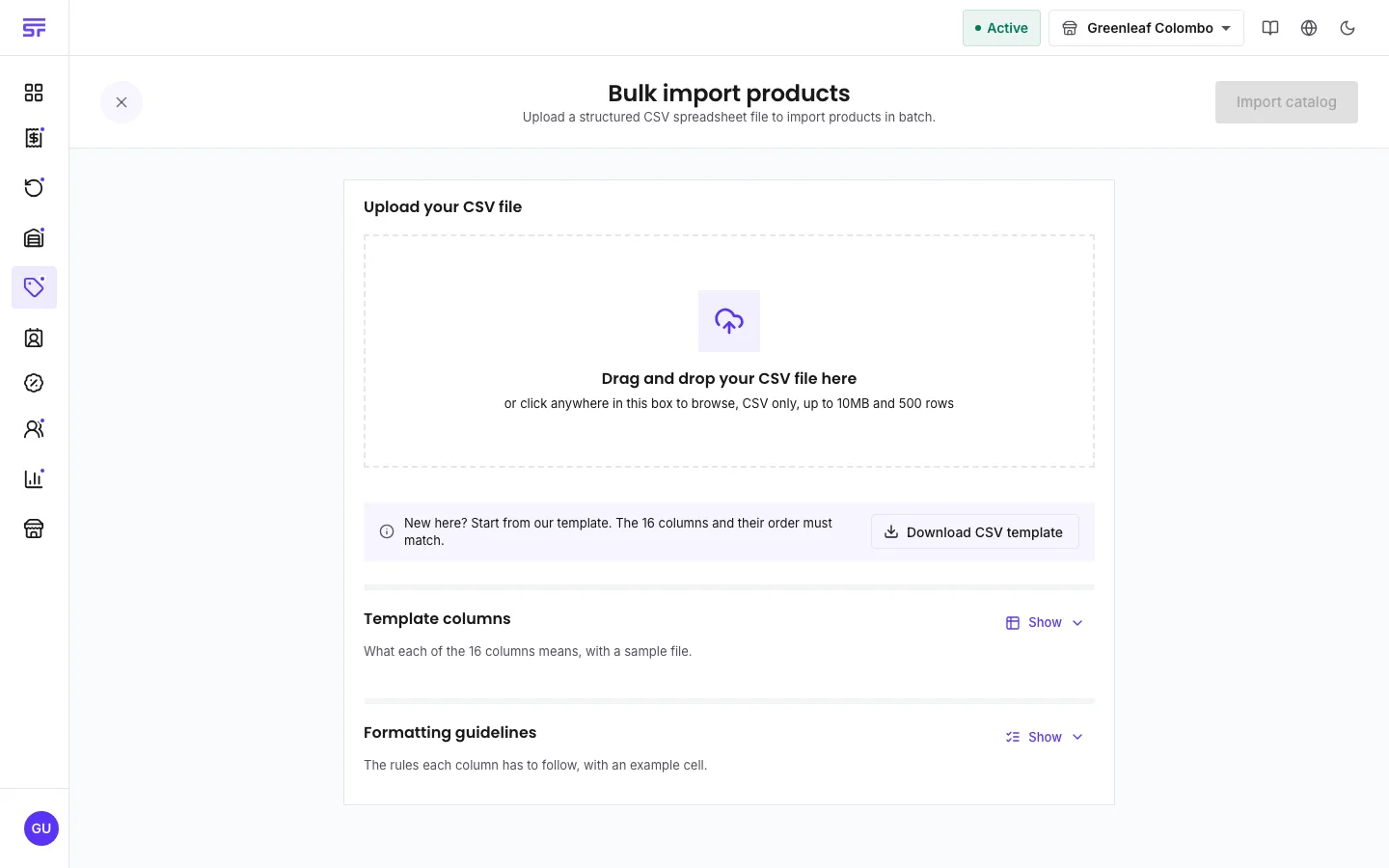
The page's Template columns and Formatting guidelines sections explain every column with an example. The full list is on CSV templates.
| Column | Rules |
|---|---|
| Product Name | Required. Rows with the same name become one product with variants. Each of those rows then needs its own Variant Name. |
| Product Type | standard or serialized only. |
| SKU | Optional, 6 digits. Created for you when empty. |
| Unit and Unit Value | A unit code in lower case, such as piece, kg, g, l or box, and a number above 0. |
| Price, Cost, MSRP | Normal amounts in your currency. Write 1450.00. A price of 0 makes the product Open price. |
| Track Inventory, Batch Tracking, Expiry Tracking | true or false. Batch tracking needs tracking. Expiry tracking needs batch tracking. Serialized products always track. |
| Barcode, QR Code | true or false. |
| Global Identifier Value | Optional, 13 digits. Created for you when empty and Barcode or QR Code is true. |
Codes you type must be unique in the file and in your catalogue.
The whole file is checked before anything is created. Each problem names the row, the product and the column, for example:
Row 12 | Product "Red rice 5kg" (Column: SKU): SKU must be exactly 6 digits.
The page lists every problem in a table under Validation errors. Fix them in your spreadsheet, then upload the corrected file. Only a file with no errors creates products.
| Symptom | Cause | Fix |
|---|---|---|
| "Invalid CSV structure". | A column is missing, renamed or moved. | Start again from the template. Do not change the header row. |
| The file is refused as too large. | It has more than 500 data rows. | Split it into smaller files. |
| A product type is refused. | Only standard and serialized can be imported. | Create other types in the app. |
| An SKU or barcode is refused. | It is used twice in the file or already exists. | Change it, or leave it empty. |