What your team did and what they were refused, how to read a row, and how long the log is kept.
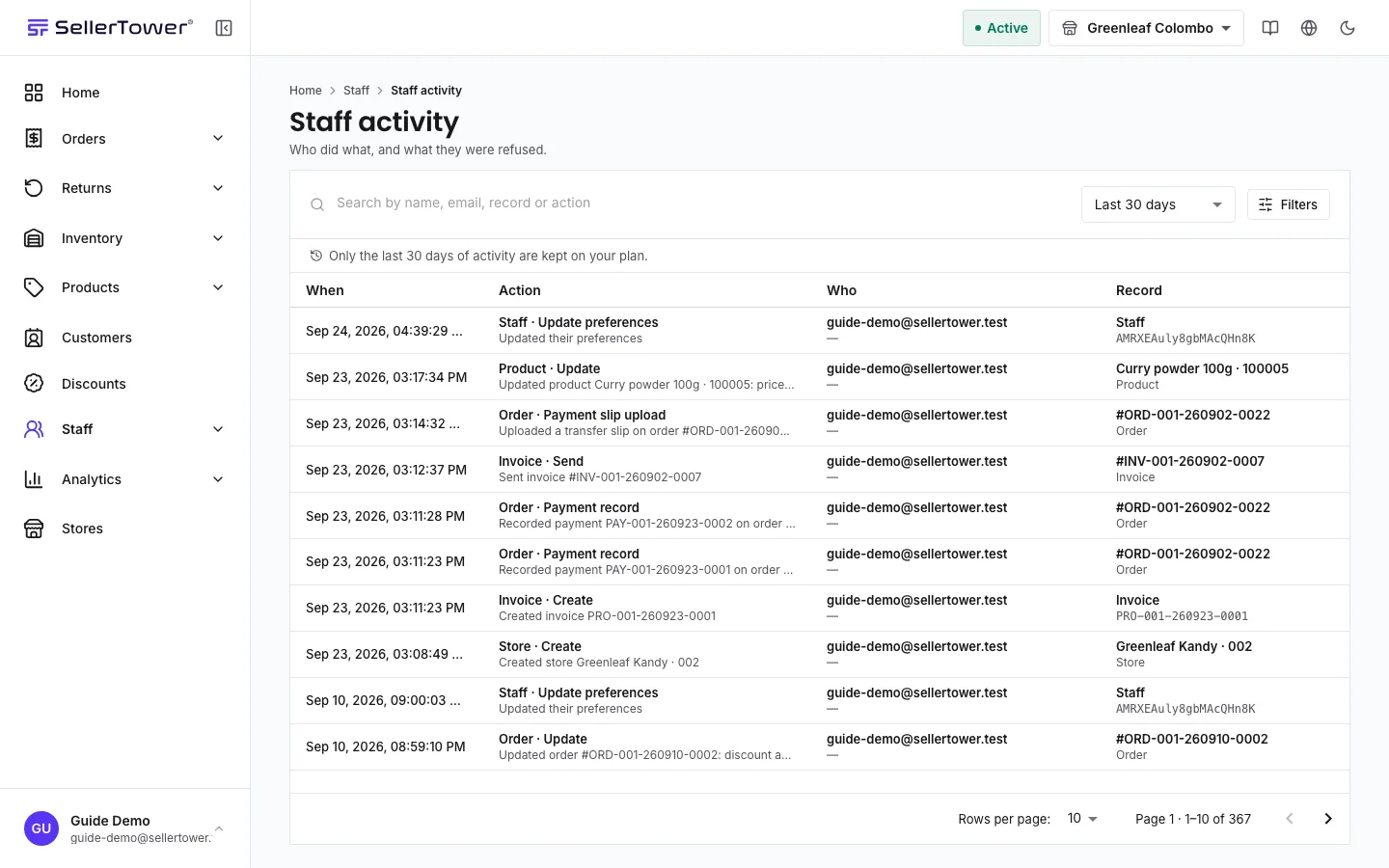
The Staff activity page is a permanent log of what your team did. It also records what they tried to do and were refused. Use it to check who changed a record, and when.
Who can do this: the Administrator, and staff whose role includes activity access. That is the built-in Admin, Reports Viewer and Store Admin roles, and any custom role with it. Store-scoped staff see only rows from their own stores. The log depends on your plan (see the badge at the top of the page).
Each row reads as a sentence. The Action column names the action and explains it in plain words, for example "Changed price of product Blue Tee from LKR 1,200.00 to LKR 1,500.00".
The other columns show When, Who, the Record it touched, the Changes (as "Field: before → after") and the Outcome: Completed or Refused.
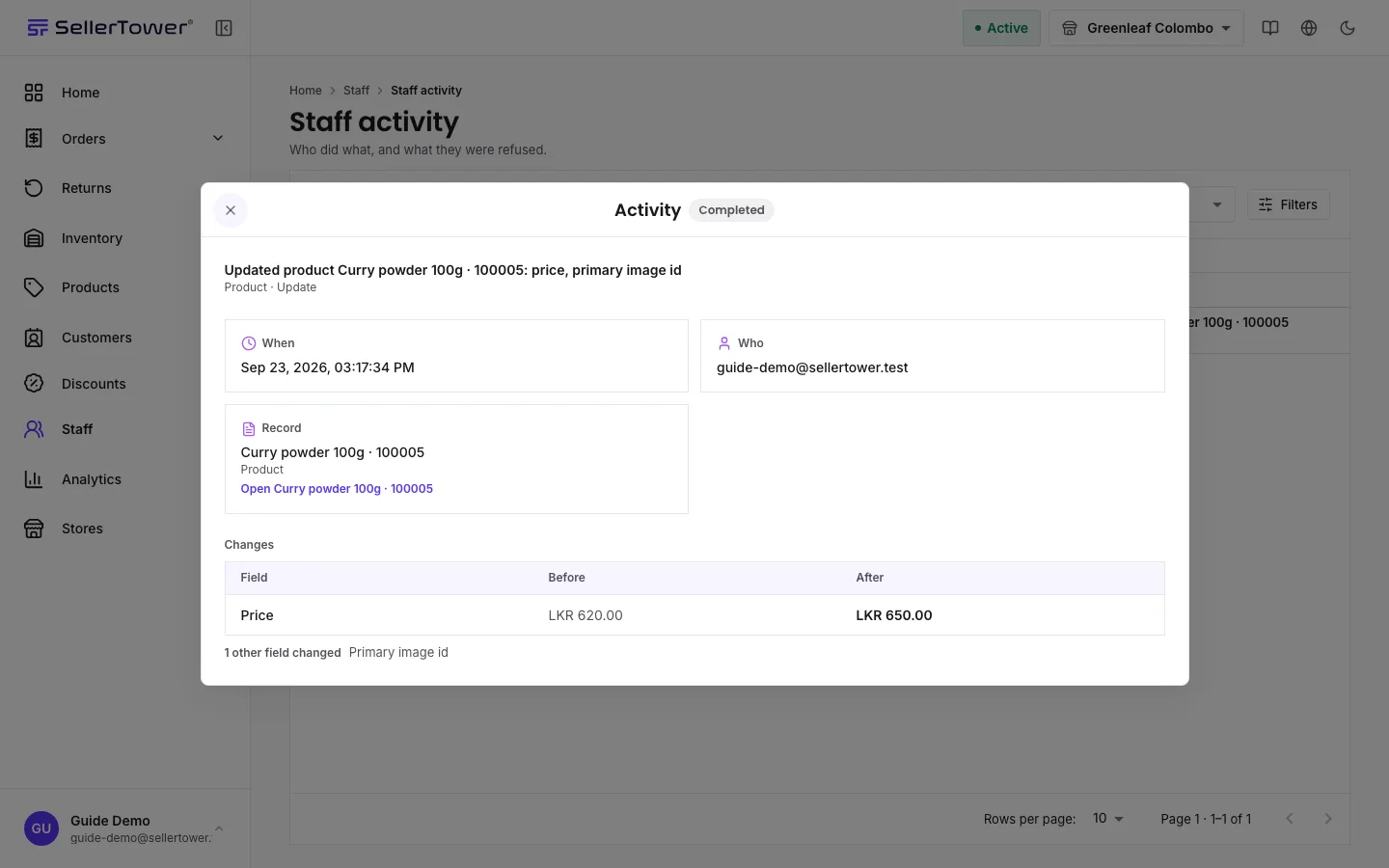
Select a row to open its detail dialog.
Each row reads as a sentence. Select it to see everything about it.
When, Who and Record. Store shows when the row belongs to a store. Device and IP address show on sign-in rows only.
Details, for rows such as payments that carry facts instead of a before and after.
Changes: a table with Field, Before and After.
Related activity: "Other rows written by the same action." It shows only when one action wrote more than one row.
The staff member's name and the record's name are links. The app first checks the record still exists. If it was deleted, you see a note instead of a link. When you close the record you opened, you return to the same place in the log, with the same filters and the dialog open.
Search finds rows by name, email, record or action.
Period offers "Last 24 hours" and longer periods such as "Last 7 days". It never offers a period longer than your plan keeps.
Filters narrows by Who, Action, Record type, Activity type (Record change, Sign-in or Other activity), Outcome and Store.
You also find an Activity section on many record pages, including products, customers, staff, stores, orders, returns, refunds and discounts. It shows recent changes to that one record, and who made them.
Changes made in the app: creating, editing, status changes and deletions, each tied to the record it touched.
Field changes: the before and after of important fields.
Sign-ins and sign-outs, password changes and resets, and sessions being ended.
Downloads. An export leaves no other trace, so taking one is logged.
Refusals. A refused action is recorded with the Refused outcome. Many refusals from one person on one record are worth a look.
Actions by SellerTower. Some rows show SellerTower staff with the note "SellerTower, not your staff". These are changes the platform made to your account, such as after a plan change.
Your plan keeps the log for a set number of days. The page says so under the toolbar, for example: "Only the last 30 days of activity are kept on your plan." Older rows are deleted. If you move to a plan with a shorter window, or one without the log, the extra rows are deleted once a grace period ends. Use that time to export what you need. See Exports & reports.