
Business settings
Your business name and description, the facts that cannot change, and deleting the business.
User guide
Your business name and description, the facts that cannot change, and deleting the business.
Business settings holds your business's own record. Only the Administrator can open it. Staff see the read-only Business profile instead.
Who can do this: the Administrator only. No staff role can open this page. It works on every plan.
Click your name or initials in the sidebar to open the My Account menu, then choose Business settings.
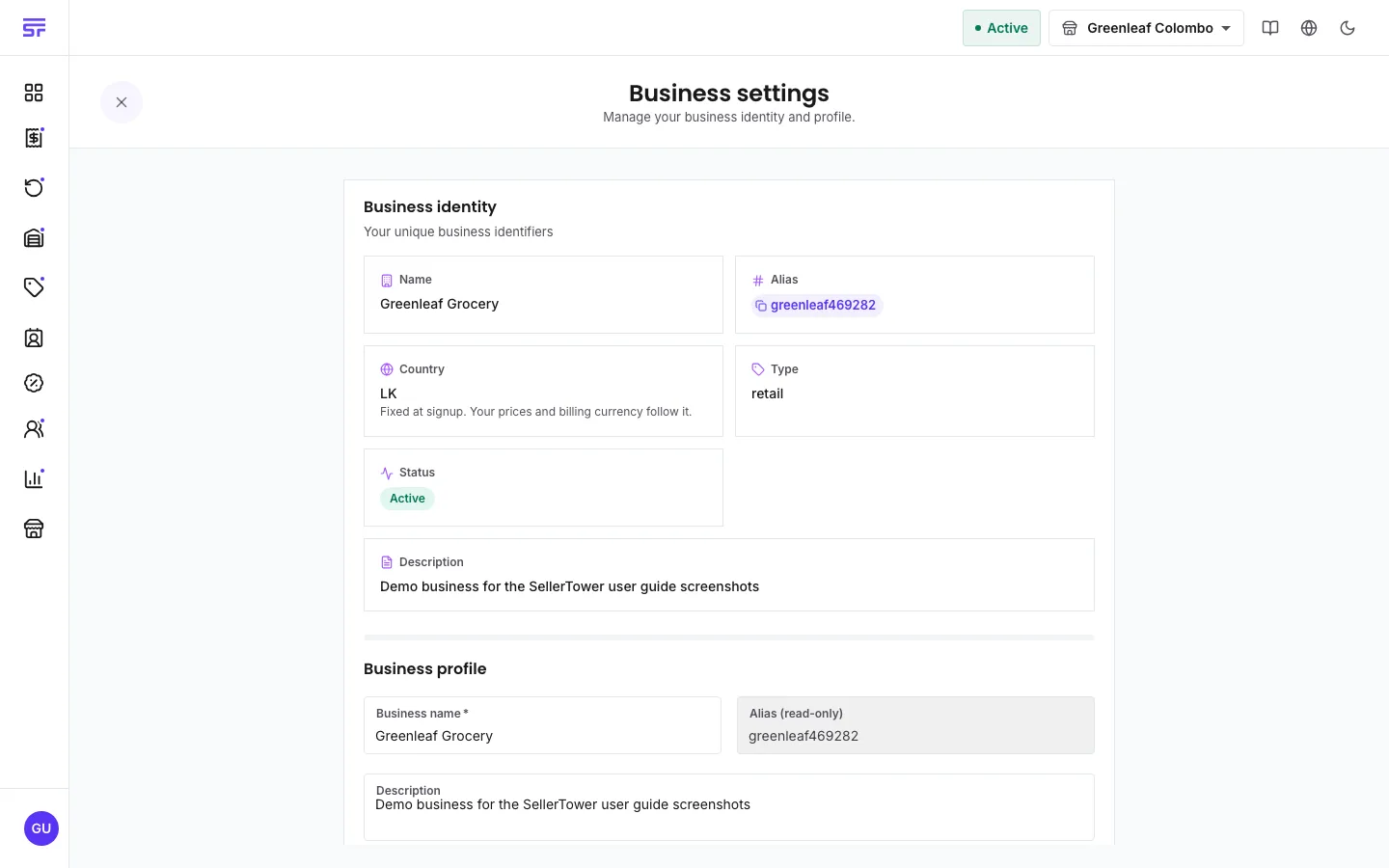
| Field | Can you change it? | Notes |
|---|---|---|
| Business name | Yes | At least 2 characters. Shown across the app. |
| Description | Yes | Up to 500 characters. |
| Alias | No | Your business's unique name in SellerTower, shown as Alias (read-only). Click the chip on its tile to copy it. It cannot be changed or made again. |
| Country | No | Set when you signed up. The tile says: "Fixed at signup. Your prices and billing currency follow it." |
| Type and Status | No | Facts about the account. Status shows Restricted when a billing problem has limited the account. |
The country decides the currency your stores sell in. It also decides your billing currency: your country's own currency or US dollars. The billing currency is set when you sign up and does not change.
There are no tax or currency settings on this page. Tax is set on each product.
You see Workspace deleted and you are signed out.
| Symptom | Cause | Fix |
|---|---|---|
| Business settings is not in your menu. | You are signed in as staff. | Staff see Business profile instead. Ask the Administrator for changes. |
| Name must be at least 2 characters | The name is too short. | Enter a longer name. |
| Delete business stays greyed out. | DELETE is not typed exactly. | Type DELETE in capital letters. |
Business profile · Cancelling your subscription · Store statuses, deactivation and deletion