
How inventory works
One product in one store is one stock record. The model the rest of inventory builds on.
User guide
One product in one store is one stock record. The model the rest of inventory builds on.
Inventory rests on one rule: a product in a store is a stock record. The product is the business-wide catalogue entry, with its name, price and tracking settings. A store's stock of that product is a separate record. It is created when you link the product to that store. One product sold in three stores means one catalogue entry and three separate stock records, each with its own quantity, batches and availability.
Who can do this: the Administrator and the Admin, Store Admin and Inventory Manager roles can change stock. Cashiers and Reports Viewers can look at it. Stock always belongs to one store, so inventory pages need a store selected in the top bar. All Stores can show reports, but stock work happens inside one store.
Product
Added once to the catalogue.
Linked to a store
Gives it a stock on hand count there.
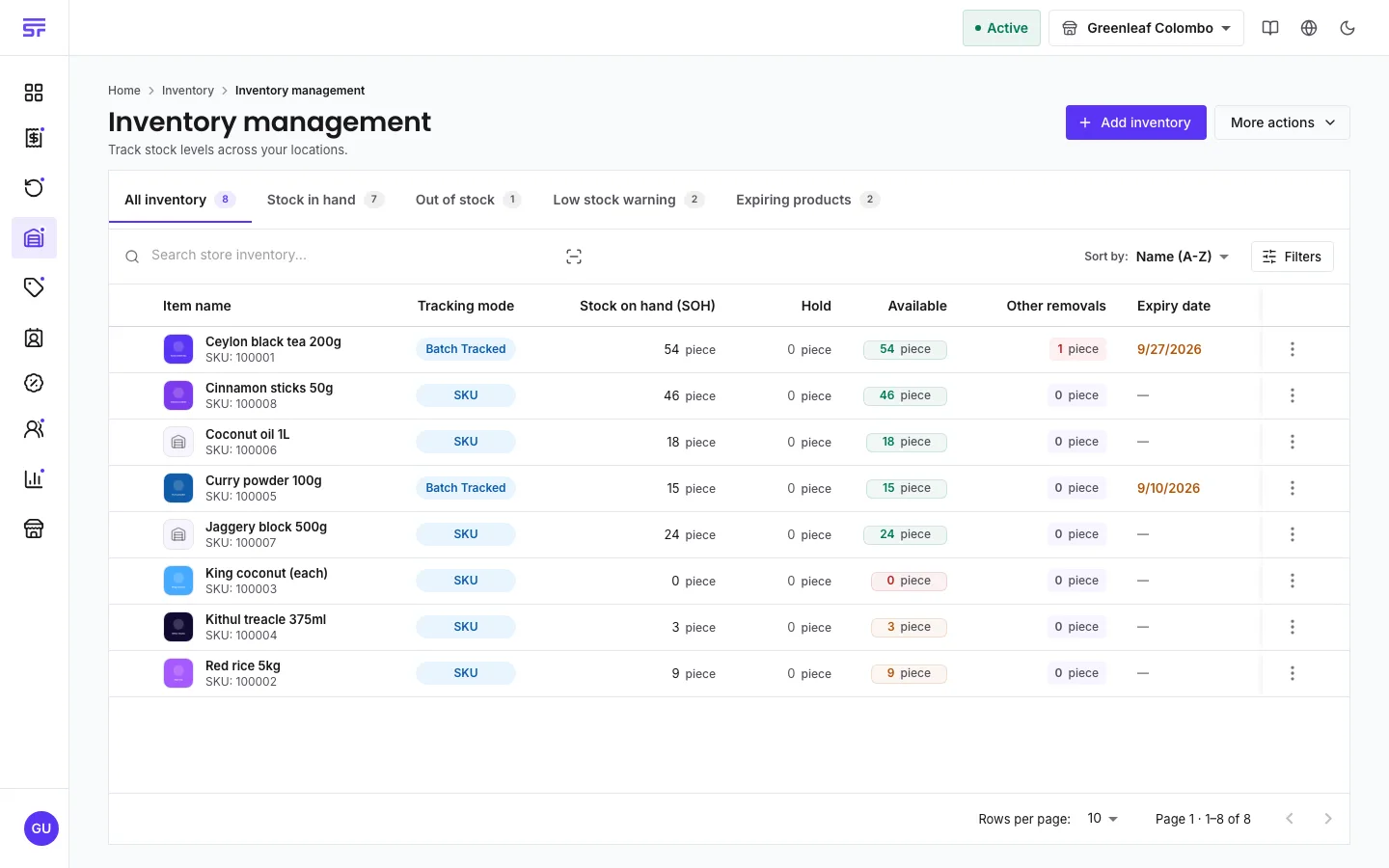
A product can show plenty on hand and still not sell, because held stock is counted but not for sale. Each product's stock page shows this sum in its Stock summary.
A product with Allow fractional quantities turned on is counted in its unit, not in whole pieces. Stock can be 12.75 kg, a sale of 2.55 kg takes exactly 2.55 kg, and adjustments accept decimals. All numbers, thresholds and history for that product are shown in its own unit. See Creating a product.
If your plan includes stock history, every one of these writes a line to the stock history. Editing the product itself, such as its price or name, is a catalogue change and does not touch any store's stock.
| Symptom | Cause | Fix |
|---|---|---|
| The inventory page asks you to pick a store. | The top bar shows All Stores. | Select one store. |
| A product shows stock on hand but will not sell. | The units are on hold for orders or in quarantine. | Check Hold on the row, and the Quarantine page. |
| A product is missing from the store's inventory. | It is not linked to this store. | Link it on Link products. |
Core concepts · Linking products to stores · Adjusting stock