
Managing customers
Adding, inviting, editing and deactivating customers, and why a customer with orders cannot be deleted.
User guide
Adding, inviting, editing and deactivating customers, and why a customer with orders cannot be deleted.
The customer list is shared by all your stores. Each person has one record with their name, contact details and address, and their orders are linked to it.
Who can do this: the Administrator and staff with the Admin role can do everything, including delete. Store Admin can view, add and edit customers and send them profile links. Cashier can look customers up and add new ones at the till, but cannot edit or delete them, and cannot send invites or verification codes. Inventory Manager and Reports Viewer cannot see customers. The customer list works on every plan.
Open Customers from the sidebar.
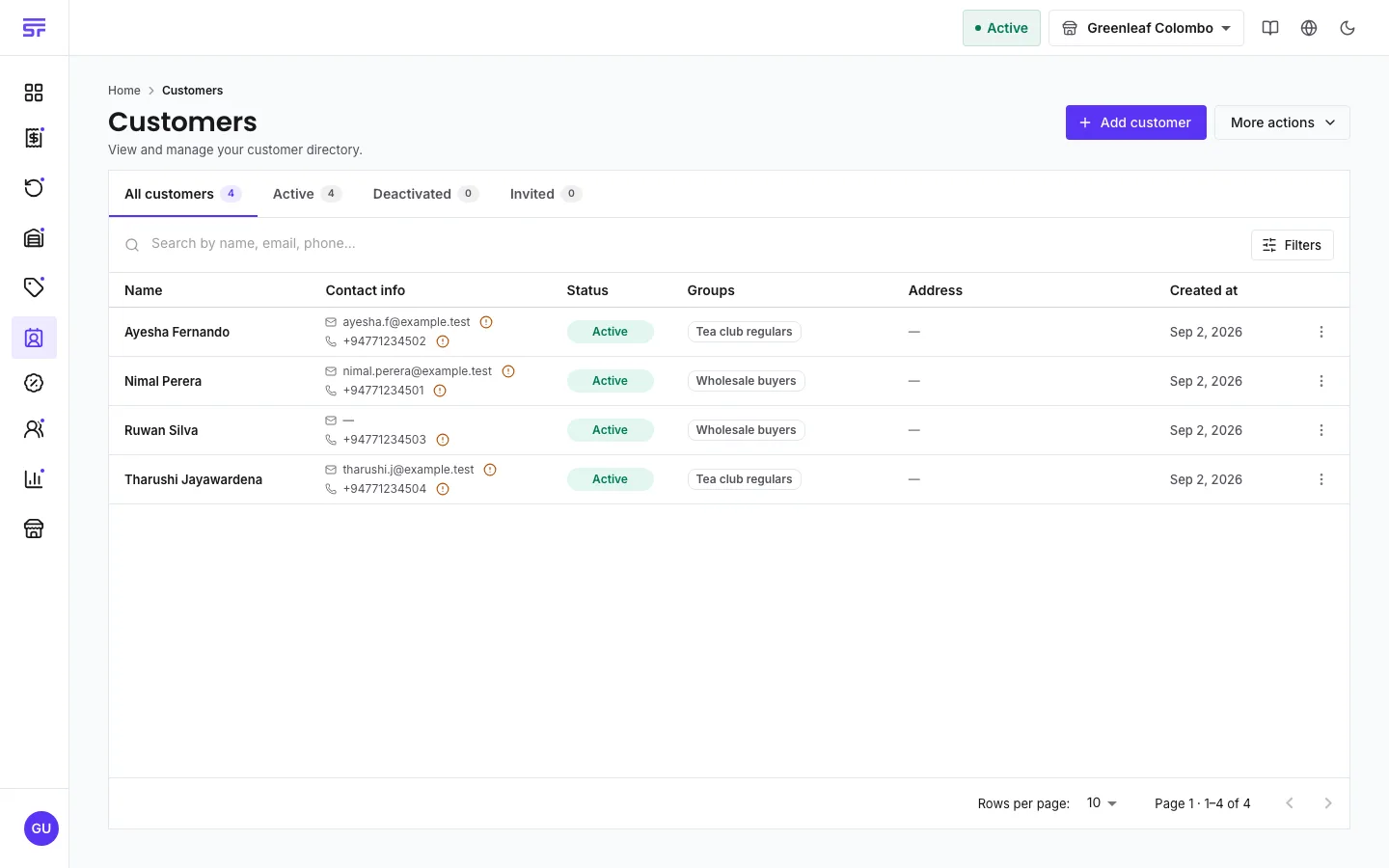
The page has four tabs: All customers, Active, Deactivated and Invited. Search by name, email or phone. Use the filters to find customers with or without an email, phone or address, or in a group.
On a phone, tap the search button to search, and swipe a row or press and hold it to see its actions.
The email and the phone number must each be unique in your business. The form checks as you type and warns you if another customer already uses them. This stops one person becoming several records.
Your store's checkout settings can make email or phone required. The form then says so.
Under Email verification, click Verify to send a one-time code to the customer's email. Type the code under Enter email OTP and click Confirm. Once you start a verification, you must finish it before you can save.
Phone numbers cannot be verified at the moment, because messages are sent by email only.
The customer gets an email with a secure link that works for 24 hours and can be used once. Until they fill it in, the record waits on the Invited tab. From its row menu you can choose Re-invite customer or Cancel invite.
The link proves the email address it was sent to, so the customer does not need a code for that address. If they type a different address, they must verify it with a code.
To ask an existing customer to update their details, choose Send profile update link from their row menu.
Click a row to open the customer's profile. It opens read-only. To change it, choose Edit info from the row menu, or click Edit customer on the profile page. Make your changes and click Save changes.
The profile page can also show Purchase history: lifetime spend and recent orders. This part depends on your plan. On other plans it shows Purchase history is not included in your plan.
Deactivate is the normal way to stop using a customer record. Choose Deactivate Account from the row menu, or turn off Active customer account on the profile. A deactivated customer:
Their existing orders, returns and refunds are not affected, and any store credit already issued to them stays theirs. You can reactivate them any time with Activate Account.
Delete is permanent, and only works for a customer who has never traded. Choose Delete customer and confirm with Permanently delete. If the customer has order history, the dialog changes to This customer cannot be deleted and explains that deleting them "would leave orders, invoices and refunds pointing at a customer that no longer exists." Click Deactivate instead.
| Symptom | Cause | Fix |
|---|---|---|
| This email address is already in use by another customer. | Another record has that email. | Search for it and use that record. |
| The invite cannot be sent. | The customer has no email address. | Add an email address, then send the link again. |
| The customer cannot be deleted. | They have orders or invoices. | Deactivate them instead. |
| A deactivated customer cannot be picked at checkout. | Deactivated customers cannot start new orders. | Reactivate them first if this was a mistake. |