
Upgrading & downgrading
An upgrade starts now and you pay the difference. A downgrade waits until your renewal date.
User guide
An upgrade starts now and you pay the difference. A downgrade waits until your renewal date.
The direction of a plan change decides when it happens. An upgrade happens now. A downgrade waits until the end of the period you have already paid for.
Who can do this: the Administrator, from Billing, then Change plan.
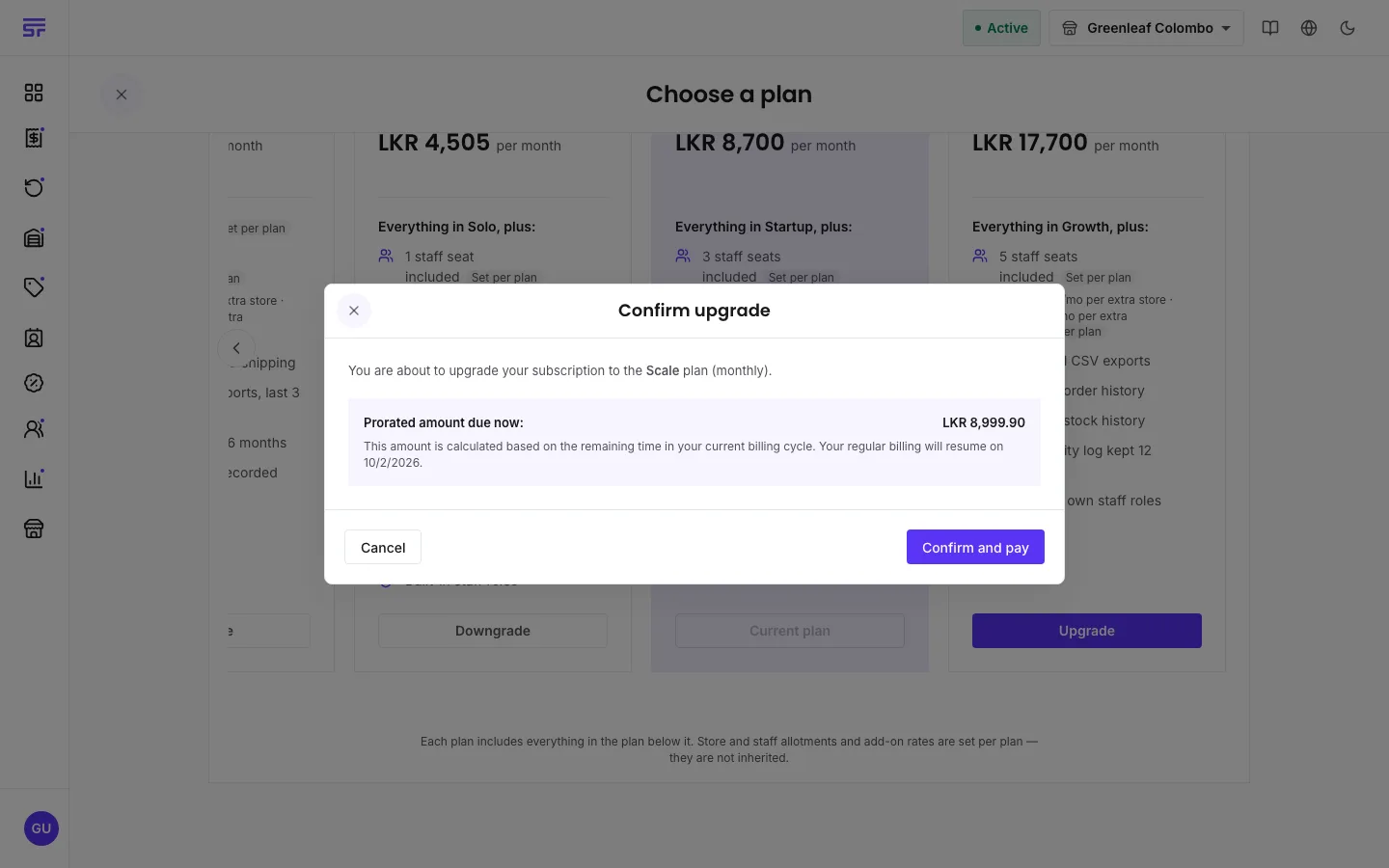
The upgrade starts straight away, and the new features are ready to use.
You see "Downgrade scheduled". The downgrade does not happen now. The app says: "Your plan changes to" the new plan "on" the date. "Nothing changes until then." You keep everything your current plan includes until the end of the period you have paid for.
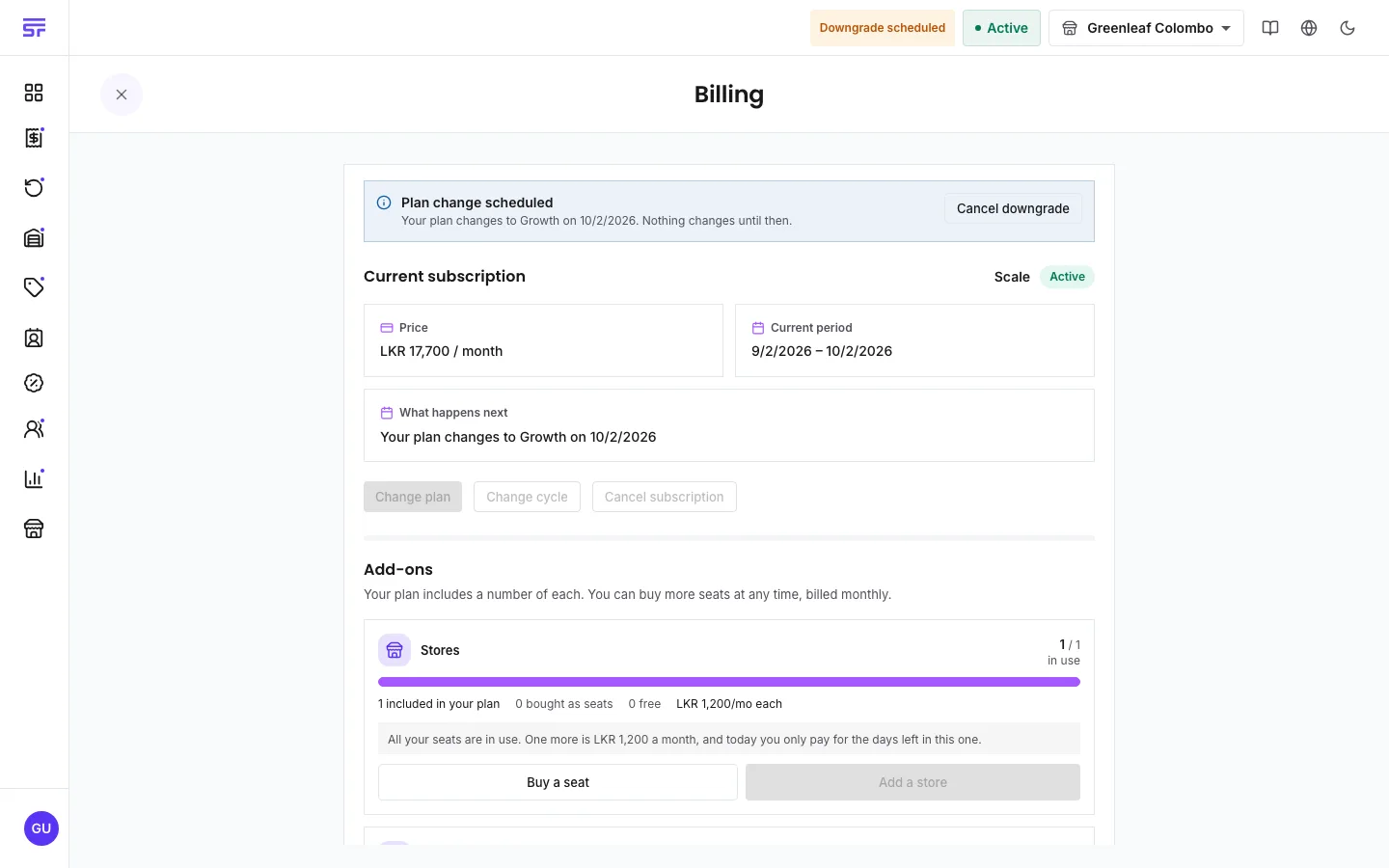
To change your mind before the date, press Cancel downgrade.
Moving to the free plan is the same as cancelling your subscription. It has its own page: Cancelling & moving to Free.
While a move to the free plan is booked, you cannot make other plan changes. Cancel the booking first.
| You see | Why | What to do |
|---|---|---|
| "Failed to preview upgrade" | The price of the upgrade could not be worked out. | Try again in a moment. |
| "Your payment could not be completed. Please check your billing details." | Your card was declined. | Update your card in the Stripe portal, then try again. See Payment & the customer portal. |
| "Your plan is already scheduled to end. Cancel that from the billing page first if you want to change plan." | A move to the free plan is booked. | On Billing, press Never mind, keep my plan, then change plan. |
| "Still finalising your plan change" | Stripe has not confirmed the change yet. | Refresh the page in a moment. |
Comparing plans · Seats & add-ons · Payment & the customer portal