
User settings
Your own name, password, language and theme. The same page for the Administrator and for staff.
User guide
Your own name, password, language and theme. The same page for the Administrator and for staff.
User settings holds your own account details. It is the same page for the Administrator and for every staff member, and each person can only change their own.
Who can do this: everyone, for their own account. No permission is needed. This page works on every plan, and it stays open even when a billing problem has locked the rest of the app.
Click your name or initials in the sidebar to open the My Account menu, then choose User settings. The page is called Account settings.
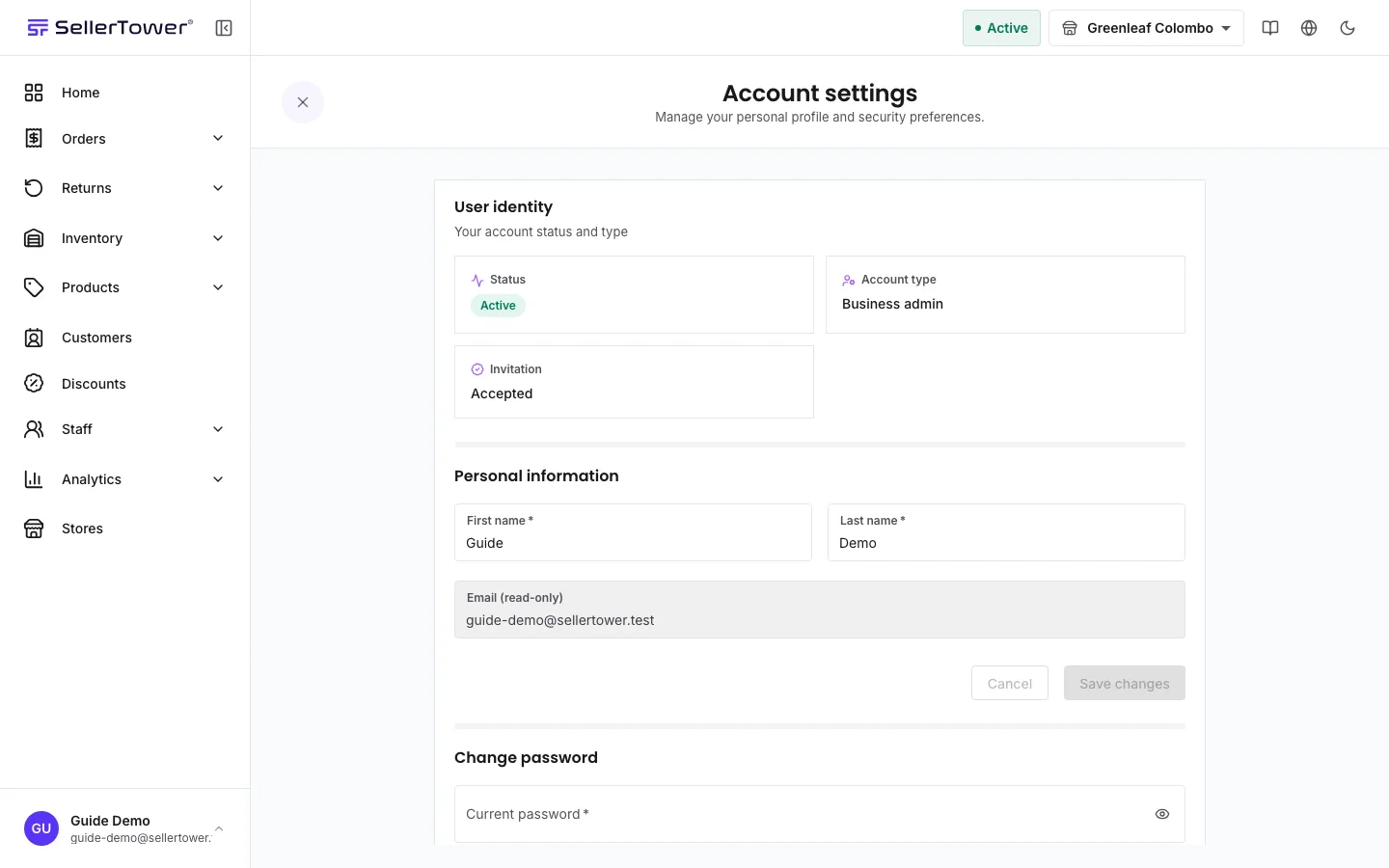
The User identity tiles at the top are facts, not settings:
Your name shows in the staff list and on records you work on.
Your email cannot be changed here. It is shown as Email (read-only), because it is how you sign in.
The new password must have at least 8 characters, with an uppercase letter, a lowercase letter, a number and a special character (!@#$%^&*). It cannot be the same as your old one. See Passwords and security.
If your business's country has more than one language, a Language section appears. Pick a language and the app switches at once. There is no save button. Each language is shown in its own script.
On a computer, you can also change the language from the globe button in the top bar. If your country has only one language, the section is not shown.
Use the moon or sun button in the top bar to switch between dark and light mode.
Your language, theme, sidebar layout and home page date range are saved to your account. When you sign in on another device, they follow you. Before you sign in, the app uses what that device last used.
| Symptom | Cause | Fix |
|---|---|---|
| The password change fails with Update failed. | The current password is wrong, or the new one breaks a rule. | Check your current password. Make sure the new one has a lowercase letter too. |
| New passwords do not match | The two new password fields differ. | Type the same password in both. |
| There is no Language section. | Your country has only one language. | This is expected. |