
Payment & the customer portal
Your card, your SellerTower invoices, and what happens when a payment fails.
User guide
Your card, your SellerTower invoices, and what happens when a payment fails.
SellerTower never stores your card. Your card, billing address, tax details and all your past SellerTower invoices are in the Stripe customer portal. You open it from the Billing page.
Who can do this: the Administrator.
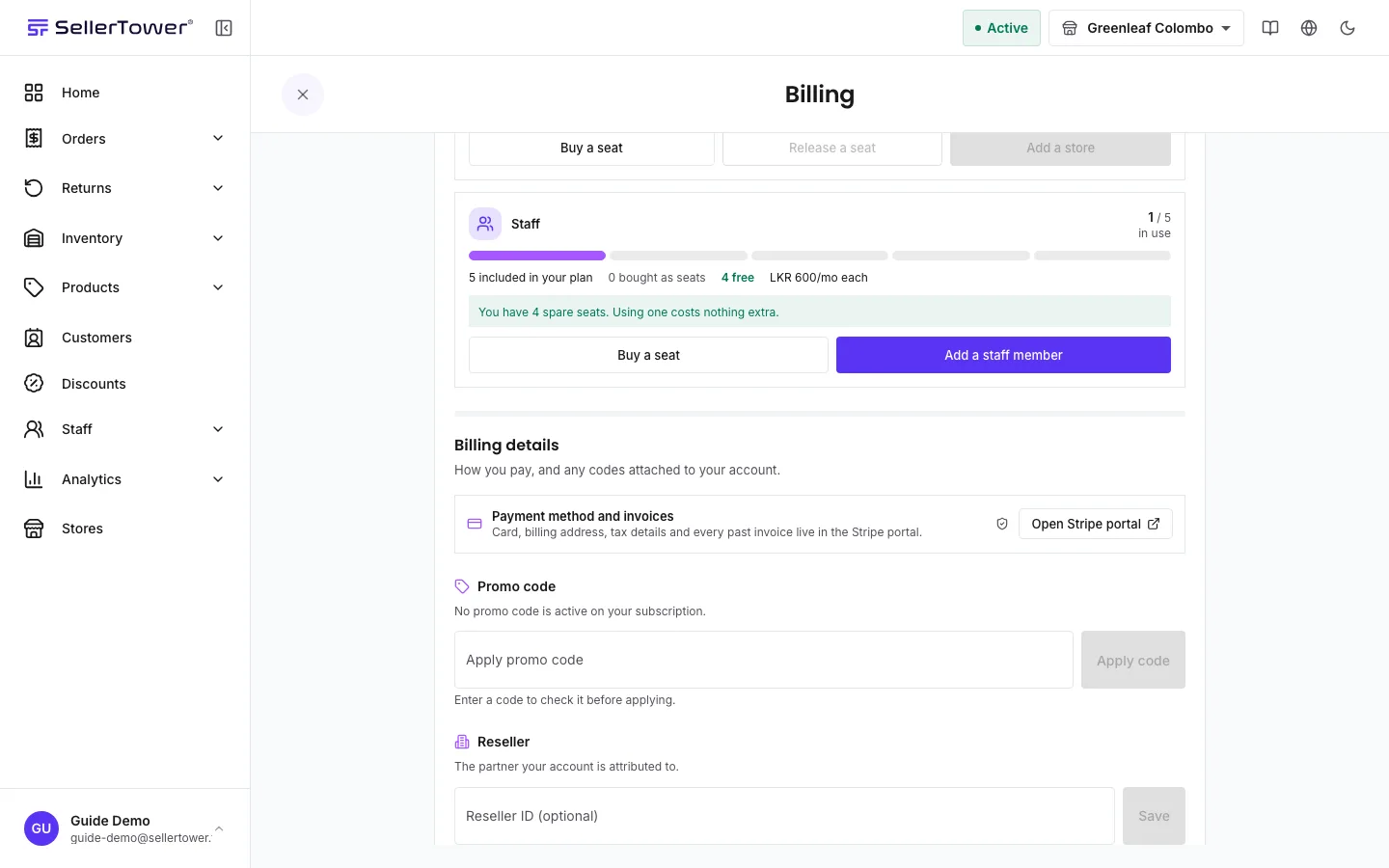
In the portal you can change your card, update your billing address, and download invoices and receipts. The only receipt SellerTower shows itself is the one for a seat you buy, in the buy box.
A failed payment does not cut you off at once. This is what happens:
| You see | Why | What to do |
|---|---|---|
| "Your payment could not be completed. Please check your billing details." | Your card was declined. | Change the card in the Stripe portal, or pay the open invoice from the email link. Then try again. |
| "Payment failed. Update your payment method" | A subscription payment failed. | Press Update payment method and fix the card in the portal. |
| "Your account is read-only due to a billing issue. Update your payment details to restore access." | The grace period ended without payment. | Pay the open invoice. Access comes back as soon as it is paid. |
| "Failed to open billing portal" | The portal could not be opened. | Try again in a moment. |
Upgrading & downgrading · Cancelling & moving to Free · Troubleshooting sign-in