
Staff & seats
The staff list, the four account statuses, the row actions, and how staff use seats.
User guide
The staff list, the four account statuses, the row actions, and how staff use seats.
The Staff page lists your team: who can sign in, which stores they work in and which roles they hold.
Who can do this: anyone whose role lets them view staff can open the list. A store-scoped viewer sees only colleagues in their own stores. Inviting someone and switching an account on or off are for the Administrator only. See The Administrator.
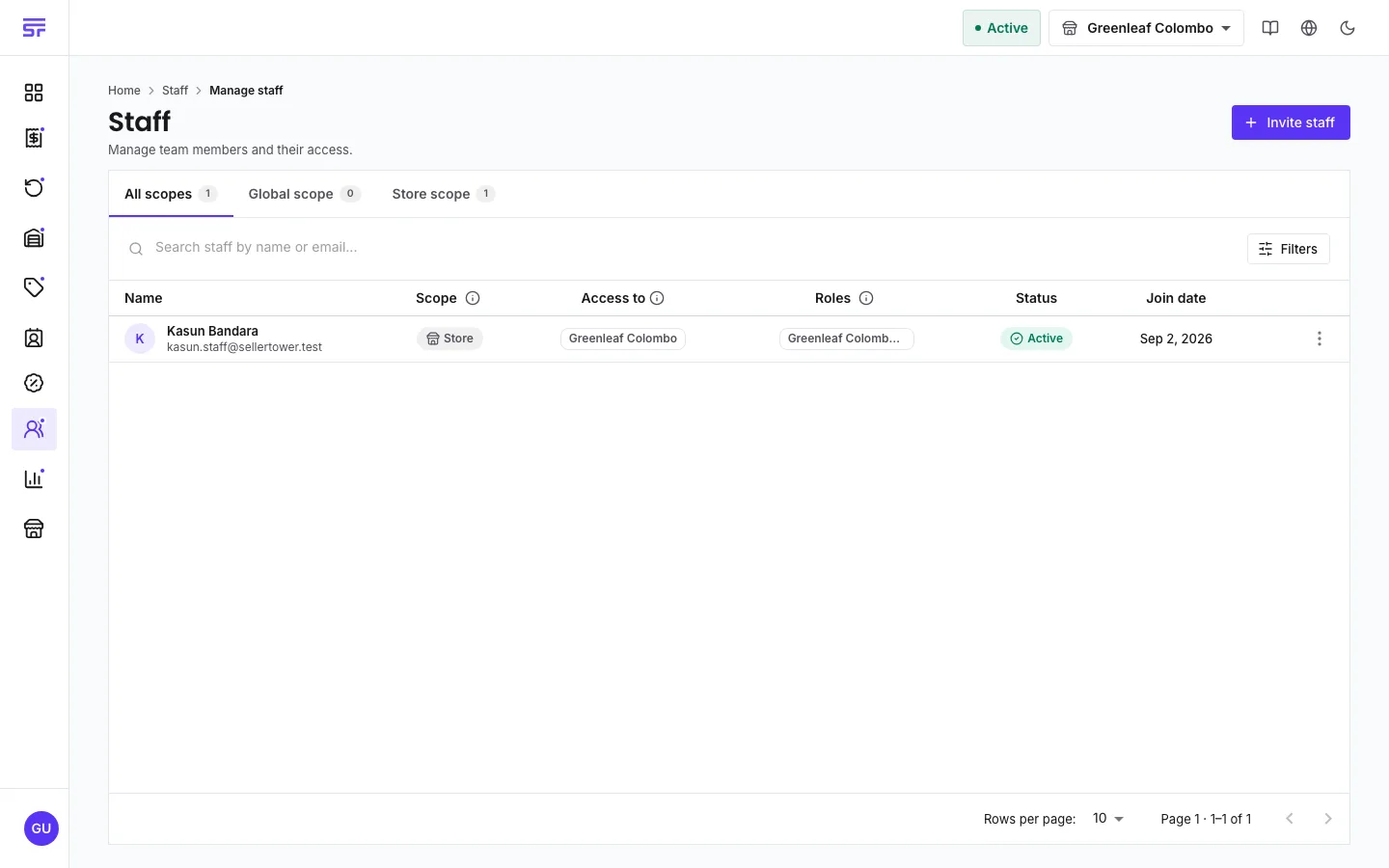
On a phone, search is a button in the toolbar. Swipe a row sideways, or press and hold it, to see its actions.
Open the menu on a row. What you see depends on the row and on your permissions.
| Action | What it does |
|---|---|
| Edit | Opens the staff page ready to edit scope, stores and roles. |
| Resend invite | Pending rows only. Sends a fresh link. The old link stops working. |
| Cancel invite | Pending rows only. Removes the invitation. |
| Disable account / Enable account | Administrator only. Blocks or restores sign-in. |
| Send password reset | Emails a code to set a new password. Not shown on your own row. |
| Delete staff | Removes the person for good. |
Two dialogs are worth reading closely:
Each staff member uses one seat from your plan's allotment plus any seats you bought. The full rules are on Seats & add-ons. The points that matter here:
| Symptom | Cause | Fix |
|---|---|---|
| Enable account is greyed out. | The account is suspended by the platform. | Move to a plan that covers it. |
| Send password reset is missing on a row. | The row is pending, or it is your own row. | Use Resend invite for a pending row. Change your own password in your user settings. |
| You cannot invite even though you disabled someone. | Disabled staff still count toward your plan's staff limit. | Delete staff you no longer need, or upgrade. The staff page shows Show disabled staff to help. |
| A colleague is missing from the list. | You are store-scoped, and they work in other stores or are global. | Ask someone with global access. |