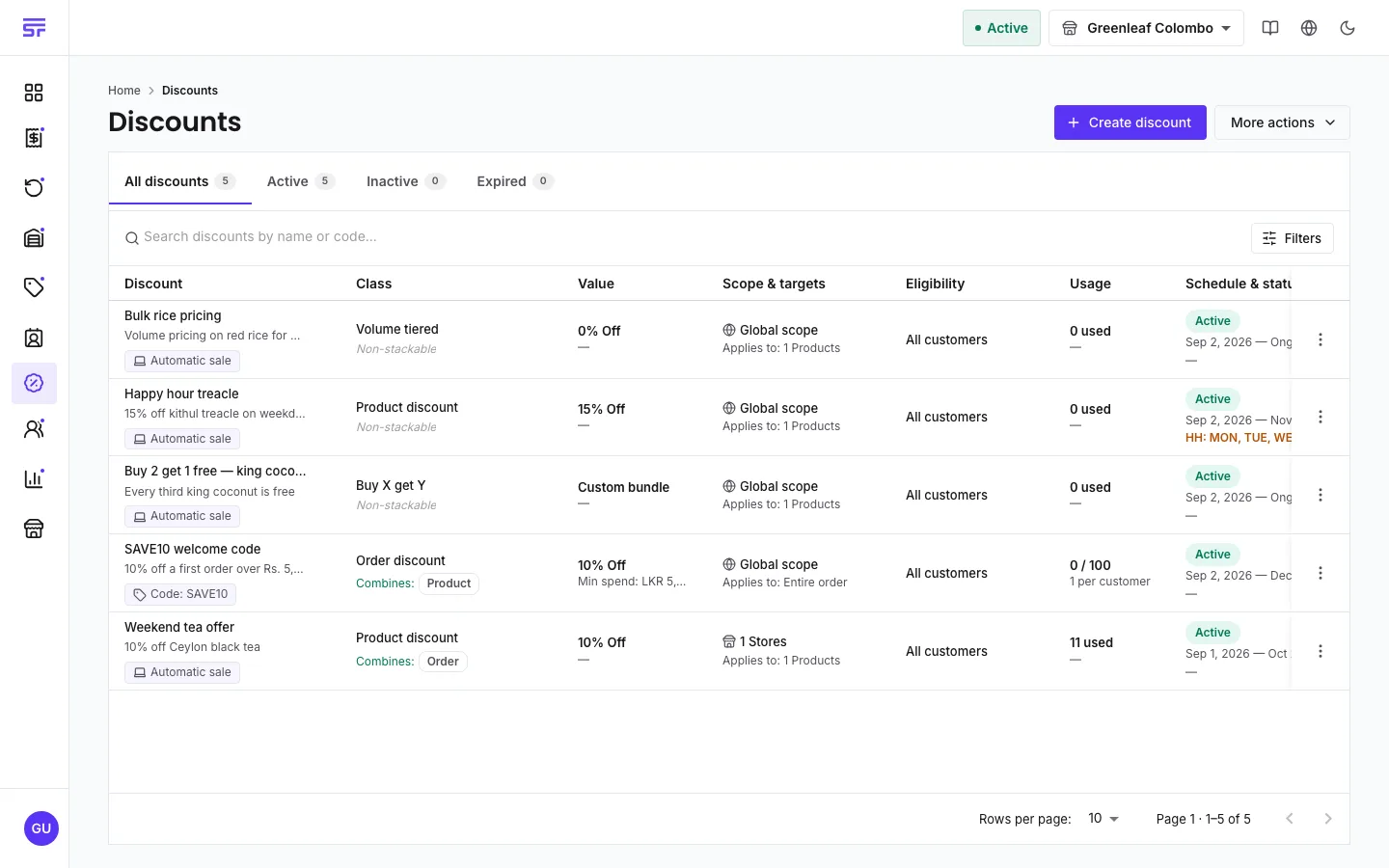
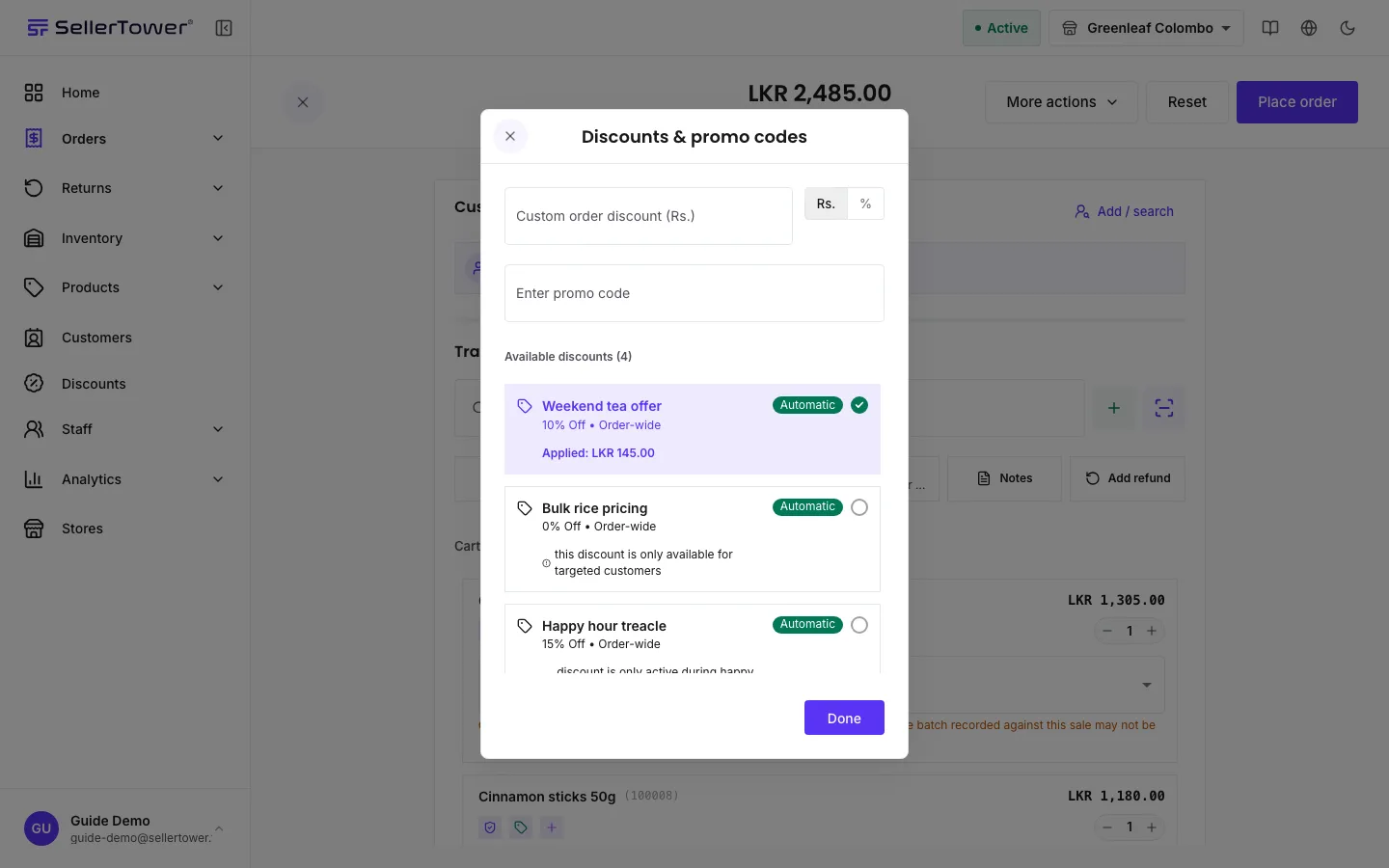
How the server decides which discounts apply to an order, and what happens when one does not.
The server works out every discount on every order. The checkout shows you the same result that the order will be charged, because both come from the same calculation.
Who can do this: the Administrator and staff with the Admin role create, edit and delete discounts. Store Admin and Reports Viewer can see them but not change them. A Cashier cannot open the Discounts pages, but can apply a discount to an order at checkout, because that uses order permissions. Discounts are a plan feature (see the badge above).
Your plan must include discounts. If it does not, the whole Discounts section shows an upgrade card instead of the list, and the Discounts tile at checkout asks you to upgrade.
Automatic sale. The discount applies by itself when the cart meets its rules. Nobody types anything.
Promotional code. The discount applies only when someone enters its code at checkout.
Custom discount at checkout. The person taking the order types an amount or a percentage off the whole order, or a cash amount off one line. This is not a saved discount. It applies after every saved discount and never counts against a usage limit.
Under Discount details, enter a Discount name. Under How is this discount applied?, choose Automatic sale or Promotional code. For a code, enter it in Promo code.
Under Locations, choose Global (All Stores) or Store mapped (specific locations).
Under Discount type, pick one of the four cards. See Discount types.
Automatic discounts and requested discounts fail in different ways, on purpose.
An automatic discount that the cart does not qualify for is skipped. Nothing is shown to the customer.
A discount someone asked for (a typed code, or one picked from the list) that fails is shown with the reason. For example: "discount is expired", "minimum order value of 50.00 required", or "you have already used this discount the maximum number of times". If you try to place a new order with a requested discount that fails, the order is refused. This stops an order being saved on the belief that a code worked.
Use is counted when the order is saved. A checkout that fails never uses up a code.
Cancelling an order gives the use back. A return does not, because the discount did help make the sale.
Status and expiry are separate. You switch a discount between active and inactive. Expired is worked out from the end date every time the discount is read, so nothing needs to run at midnight. An inactive discount stays inactive even after its end date.