
Customer groups
Available on Startup and above
Named lists of customers that a discount can be aimed at.
User guide
Named lists of customers that a discount can be aimed at.
A customer group is a named list of customers, such as wholesale buyers or club members. A discount can target a group instead of naming every customer one by one. The page describes groups as "Manual segments of your customer directory."
Who can do this: groups use the customer permissions. The Administrator and staff with the Admin role can do everything. Store Admin can create and edit groups but not delete them. Cashier can view them. Customer groups are a plan feature (see the badge above).
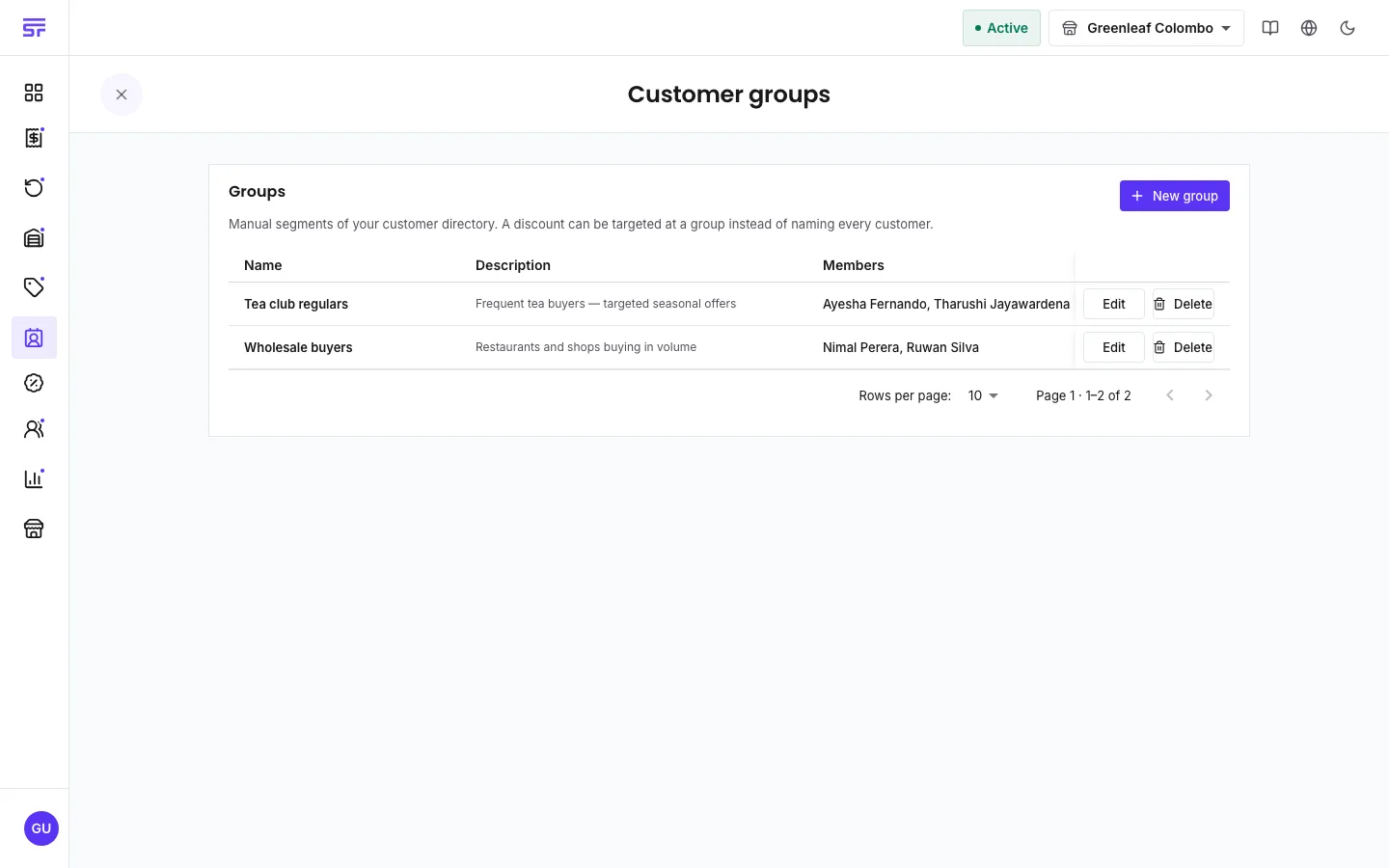
To change a group, click Edit on its row, make your changes, and click Save group.
| Field | Rule |
|---|---|
| Group name | Required. Unique in your business. Up to 80 characters. |
| Description | Optional. Up to 500 characters. |
| Members | Chosen by hand. Up to 1,000 customers per group. |
In a discount's Customer eligibility, choose Customer groups and pick one or more groups. A customer can use the discount if they belong to any of the chosen groups.
To change who gets the discount later, edit the group, not the discount. Add a customer to the group and every discount aimed at that group applies to them at their next checkout.
A customer can belong to any number of groups. The customer list shows each customer's groups.
| Symptom | Cause | Fix |
|---|---|---|
| Customer groups asks you to upgrade. | Your plan does not include customer groups. | See Plan capabilities. |
| The group name is refused. | Another group already has that name. | Choose a different name. |
| The group will not delete. | A discount still targets it. | Open each discount that uses the group and remove it under Customer eligibility. |
| A group member still does not get the discount. | Another rule failed, such as dates or minimum spend. | Check the reason shown at checkout. |
Rules and scheduling · Managing customers · Plan capabilities